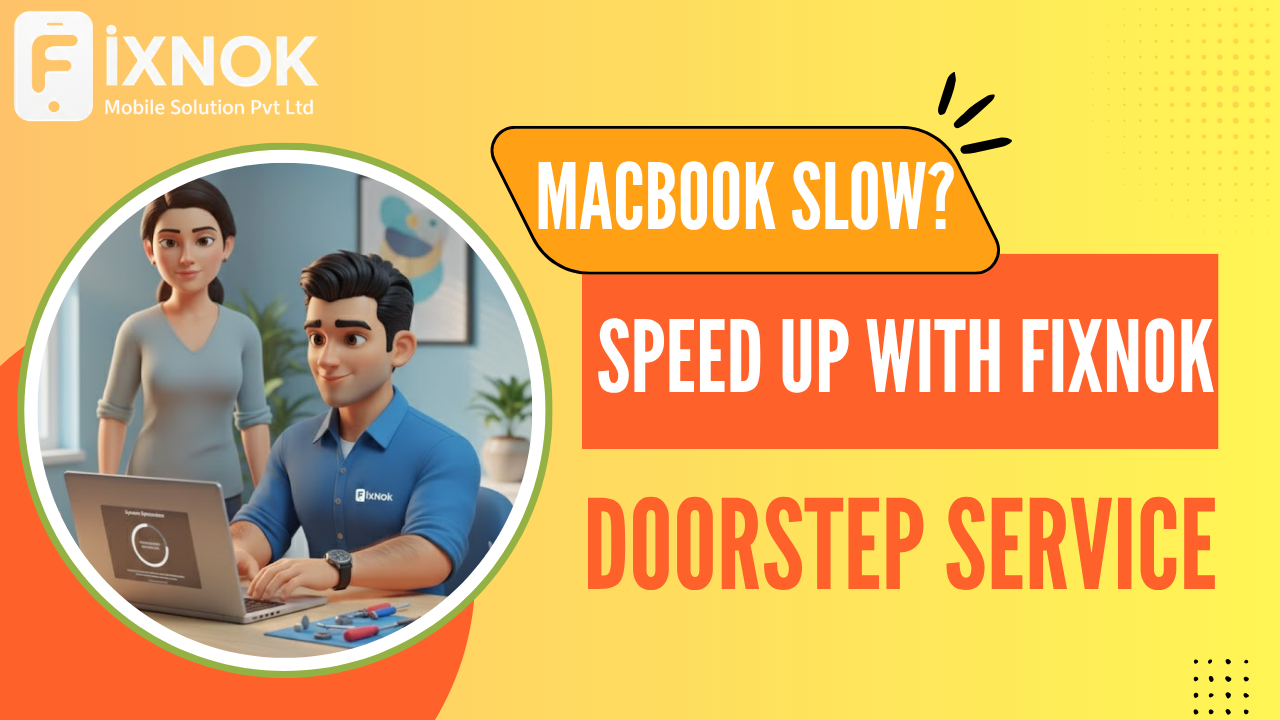
macbook slow — whether you’re editing videos, attending meetings, or studying online.
But over time, even the most advanced MacBook Air or MacBook Pro can start slowing down.
Apps take longer to open…
Chrome freezes…
The spinning wheel appears constantly…
And your productivity suddenly drops.
If you’ve been searching for “MacBook running slow fix,” “MacBook repair near me,” or “Apple laptop service center near me,” then you’re at the right place.
Welcome to FixNok Mobile Solution Pvt. Ltd., Noida’s most trusted doorstep MacBook repair and speed optimization service, helping you bring your Mac back to life — quickly, safely, and affordably.
For fast doorstep mobile repair, you can also check our iPhone repair services here:
https://www.fixnok.com/iphone-repair-service
🐌 Why Is Your MacBook Running Slow?
Just like any machine, your MacBook needs maintenance. Here are the most common reasons for slow performance:
1️⃣ Full Storage or Low Disk Space
macOS slows down when your storage is almost full. Temporary files, cache, downloads, and system junk keep accumulating.
2️⃣ Old or Failing Hard Drive (HDD)
MacBooks with old HDDs become painfully slow.
Switching to an SSD upgrade boosts speed up to 5–10× faster.
3️⃣ Too Many Startup Apps
Apps launching at startup reduce available RAM and slow everything down.
4️⃣ Outdated macOS or Apps
Older versions of software often run slower and cause compatibility issues.
5️⃣ Insufficient RAM
Using heavy apps like Chrome, Zoom, MS Office, Photoshop, or Final Cut Pro can max out your system memory.
6️⃣ Malware or Hidden Background Processes
Unwanted apps silently eat resources and reduce performance.
7️⃣ Overheating Issues
A heating MacBook automatically throttles CPU power to avoid damage, making it run slow.
8️⃣ Dust, Fan Issues & Old Thermal Paste
If your Mac can’t cool itself properly, it slows itself down for protection.
⚙️ FixNok Doorstep MacBook Speed Boost Service — Fast, Professional & Reliable
We don’t just repair your MacBook — we make it fast again.
At FixNok, our certified Apple repair technicians visit your home or office and provide professional diagnosis, optimization, upgrades, and on-the-spot repairs.
Many users experience MacBook Slow performance after years of regular use.
✔️ What’s Included in Our Speed Boost Service?
- Full MacBook performance diagnosis
- SSD upgrade (if required)
- RAM upgrade (supported models)
- macOS optimization
- Cache, junk & system cleanup
- Removal of background processes
- Startup app optimization
- Malware scan & removal
- Fan cleaning
- Thermal paste replacement
- Complete cooling system inspection
⏱️ Time required: 30–60 minutes
📍 Service location: At your doorstep
🧾 Warranty: Up to 1 year
One major cause of MacBook Slow speed is the lack of regular system cleanup.
🚀 Top Ways We Boost Your MacBook Speed at Home
Here’s how FixNok turns your slow MacBook into a lightning-fast machine:
💨 1. SSD Upgrade — The Biggest Speed Booster
If your MacBook uses an HDD, upgrading to SSD increases speed up to 10X:
- Faster boot time
- Instant app opening
- Faster file transfers
- Smoother multitasking
🧠 2. RAM Upgrade (for supported models)
More RAM = No more lag during heavy work like video editing, coding, or attending online classes.
🧹 3. macOS Cleanup & Optimization
We remove:
- Cache
- System junk
- Temporary files
- Browser garbage
- App leftovers
This frees space and restores smooth performance.
🚫 4. Malware & Adware Removal
Hidden malware is one of the biggest reasons for sudden slowdowns.
We remove it completely and secure your Mac.
🌡️ 5. Cooling System Fix
Heating slows down your CPU drastically.
We fix it by:
- Fan cleaning
- Air vent dust removal
- Thermal paste replacement
Your MacBook stays cool, fast & healthy.
🧰 6. Software Repair & Update
We update macOS, fix app errors, and optimize system preferences for peak performance.
If your MacBook Slow problem appears during multitasking, RAM may be overloaded.
💻 MacBook Models We Speed Up & Repair
FixNok provides service for:
- MacBook Air (2013–2024)
- MacBook Pro (2012–2024)
- M1 & M2 MacBook models
- Intel-based MacBooks
- Retina, Touch Bar, and older models
Whether it’s slow booting, freezing apps, laggy response, or overheating, FixNok has a solution.
An overheating device is often the first sign of a MacBook Slow performance issue.
📍 Service Areas We Cover
FixNok provides doorstep MacBook repair in Noida & NCR:
- Noida Sector 15, 18, 37, 50
- Sectors 62, 63, 75, 78
- Greater Noida
- Ghaziabad
- Indirapuram
- Delhi NCR
Search “MacBook repair near me”, and FixNok will be at your service.
FixNok specializes in solving every kind of MacBook Slow behavior directly at your doorstep.
🔧 Why Choose FixNok Over Service Centers?
| Feature | FixNok Doorstep | Apple Service Center |
|---|---|---|
| Service Time | 30–60 mins | 4–7 days |
| Convenience | At your home | Must visit store |
| Diagnosis | Free | Paid |
| Cost | Affordable | Very expensive |
| Parts | Original/OEM | Original |
| Data Safety | 100% secure | May erase data |
| Warranty | Up to 1 year | Limited |
With FixNok, you get Apple-level service without Apple-level delays or cost.
A failing SSD is another hidden reason behind the MacBook Slow complaints we see daily.
💡 DIY Tips Before Calling FixNok
Try these quick DIY solutions to see if they help:
🧼 1. Clear Storage
Delete large files from Downloads, desktop, and trash.
🚫 2. Stop Heavy Background Apps
Open Activity Monitor → close CPU-heavy tasks.
🌐 3. Update macOS
New updates often fix performance bugs.
🔄 4. Restart Your Mac Weekly
Restarting clears temporary files and RAM.
❄️ 5. Prevent Overheating
Use MacBook on a hard, flat surface for better airflow.
If the problem continues — a professional check is needed.
FixNok handles everything right at your doorstep.
Many customers report MacBook Slow issues after updating macOS to a new version.
🔬 Understanding Why MacBooks Slow Down Over Time (Deep Technical Explanation)
Most users believe a slow MacBook happens overnight — but the slowdown is actually gradual. macOS is optimized to work smoothly for years, but internal components and system resources degrade with time.
A clogged fan almost always leads to MacBook Slow functioning during long usage hours.
Here’s what’s really happening inside your MacBook when it starts slowing down:
🔹 1. SSD Wear-Leveling & Read/Write Decay
Even SSDs gradually slow down due to:
- Thousands of writing cycles
- File system fragmentation
- TRIM not running properly
- Low disk space freezing the NAND controller
This directly impacts app loading, booting, and file transfers.
🔹 2. RAM Memory Saturation
When RAM fills up:
- macOS shifts data to “swap memory”
- Swap uses SSD
- SSD becomes overloaded
- Entire system slows down
Especially in 8GB RAM MacBooks, this issue is common.
🔹 3. CPU Throttling Due to Heat
If the MacBook overheats:
- CPU clock speed drops
- Mac slows drastically
- Apps begin freezing
- Fans run at max
Overheating is the #1 cause of slow M1/M2 laptops.
🔹 4. Background Indexing Processes
Apple apps like:
- Spotlight
- Photos
- Siri
- iCloud sync
constantly index files in the background.
If indexing gets stuck → MacBook becomes extremely slow.
🔹 5. Kernel Tasks Overloading the CPU
macOS uses “kernel_task” to control temperature.
But when dust or thermal issues occur:
kernel_task artificially slows the Mac to reduce heat
→ which users experience as lag.
FixNok resolves ALL of these hidden internal issues at your doorstep.
🔧 How FixNok Performs Professional MacBook Speed Diagnostics (Full Breakdown)
Our technicians follow a lab-standard 10-step diagnosis process:
Step 1: Hardware Health Scan
We check:
- SSD condition
- Battery cycle count
- RAM performance
- Fan speed
- Logic board temperature
- Thermal throttling
Step 2: macOS System Load Check
We monitor:
- CPU graphs
- Memory pressure
- Disk read/write speed
- Running daemons
- Kernel panics
Step 3: App Behavior Analysis
We identify apps causing:
- High CPU usage
- High RAM consumption
- Memory leaks
- GPU spikes
Chrome alone causes lag in 70% of Macs.
Step 4: Startup Item Inspection
We inspect:
- Startup agents
- Launch daemons
- Login items
- Hidden background apps
Disabling unnecessary services gives instant speed improvement.
Step 5: Disk Optimization & Cleanup
We remove:
- Crash reports
- Cache
- Temporary files
- App leftovers
- System junk
This frees 10–45GB for most users.
Step 6: Malware Scan
Secret malware often slows Macs:
- Adware
- Crypto miners
- Browser hijackers
- Background trackers
FixNok removes all such threats.
Step 7: Browser Optimization
Browsers cause:
- Memory leaks
- CPU overload
- GPU spikes
We optimize:
- Chrome
- Safari
- Edge
- Firefox
Step 8: Thermal Cleaning & Cooling System Reset
We clean:
- Fans
- Air vents
- Internal components
- Heat sinks
Then apply new thermal paste for 20–35°C temperature drop.
Step 9: SSD & RAM Upgrade (If Needed)
For older Macs:
- 2012–2017 models
We upgrade: - SSD (10× faster)
- RAM (smooth multitasking)
Step 10: Final System Optimization
We tune:
- Spotlight
- Siri services
- iCloud settings
- Energy saver mode
- Graphics switching
⚡ Why SSD Upgrades Transform Slow MacBooks (Complete Explanation)
Upgrading to SSD is the single biggest boost for old MacBooks.
🔥 HDD vs SSD Comparison
| Feature | HDD | SSD |
|---|---|---|
| Boot Time | 45–60 sec | 7–12 sec |
| App Opening | Slow | Instant |
| File Transfers | 30–80 MB/s | 500–3000 MB/s |
| Noise | Loud | Silent |
| Heat | High | Low |
SSD upgrade makes your Mac feel brand new, even if it’s 7–9 years old.
FixNok installs SSDs with:
- 3–5 year lifespan
- 500–3500 MB/s speed
- Warranty included
🧠 Why macOS Gets Slow After Updates
Every major macOS update introduces:
- New background tasks
- More RAM usage
- More storage requirements
On older Macs:
- CPU can’t handle it
- RAM gets overloaded
- Thermal throttling increases
FixNok optimizes your Mac to run new macOS versions smoothly.
🌡️ Thermal Throttling: The Most Common Reason Your MacBook Is Slow
Overheating forces the CPU to slow down.
Causes include:
- Dust inside the fan
- Clogged air vents
- Old thermal paste
- Weak fan rotation
- Heavy apps
- Hot environment
FixNok’s cooling service usually improves speed by 35–45% instantly.
🔄 MacBook Slow After Battery Replacement? Here’s Why
Many users complain:
“Battery change karvaya aur Mac slow ho gaya.”
Reasons:
- Wrong battery installed
- Battery percentage glitch
- macOS SMC issue
- Logic board communication error
- Battery not calibrated
FixNok recalibrates the system and restores performance.
💻 MacBook Slow When Using Zoom, Meet, or Teams?
This is extremely common.
Reasons:
- Webcams use GPU
- Background Chrome tabs overload CPU
- Video compression heats the Mac
- Virtual backgrounds slow the GPU
FixNok optimizes your MacBook for video calls.
🎬 MacBook Slow for Video Editing?
Editing apps like:
- Final Cut Pro
- Premiere Pro
- DaVinci Resolve
require:
- High RAM
- Fast SSD
- Strong GPU
FixNok upgrades and optimizes your Mac for editing.
🧹 Why “Clear Cache” Apps Don’t Fix Slow MacBooks
CleanMyMac and other apps:
- Remove temporary files
- Don’t fix RAM issues
- Don’t fix overheating
- Don’t fix SSD wear
- Don’t stop background apps
- Don’t optimize startup
FixNok performs REAL hardware + software optimization.
🔧 Common MacBook Slow Complaints We Solve Daily
These symptoms are extremely common:
- MacBook takes too long to boot
- Apps freeze
- Chrome runs slow
- Mac overheats
- Spinning wheel appears
- Laptop lags while typing
- Sound/video glitch
- Files take time to open
- Mac hangs during meetings
- Trackpad delays
FixNok handles all of these issues at your doorstep.
🧩 Signs That Your MacBook Needs Immediate Repair
If you notice any of these, call FixNok quickly:
✔ Mac restarts randomly
✔ Loud fan noise
✔ Kernel panics
✔ Battery swollen
✔ MacBook very hot
✔ Storage full warning
✔ Frequent app crashes
✔ Screen brightness lag
✔ Keyboard delay
✔ Trackpad unresponsive
Delaying repair may damage the logic board.
📦 MacBook Models That Need Frequent Optimization
These models slow down the MOST:
Older Intel models
- MacBook Air 2013–2017
- MacBook Pro 2012–2015
- MacBook 2015
M1/M2 Models
These rarely slow down unless:
- SSD is full
- Thermal issues exist
FixNok optimizes ALL MacBook models.
📝 How to Maintain MacBook Speed for Years (Expert Tips)
✔ Restart weekly
✔ Keep Storage above 20% free
✔ Remove unused apps
✔ Clean browser extensions
✔ Avoid blocking air vents
✔ Use original charger
✔ Remove duplicate files
✔ Keep macOS updated
✔ Avoid overheating
✔ Close heavy Chrome tabs
Following these prevents long-term slowdown.
🧯 MacBook Slow After Liquid Damage?
Even minor moisture causes:
- Fan failure
- Thermal throttling
- Battery drain
- RAM errors
- Logic board corrosion
FixNok performs:
- Corrosion cleaning
- Component testing
- Cooling restoration
🧑💻 Why FixNok Is Noida’s #1 MacBook Doorstep Repair Service
✔ Fast 30–60 minute service
✔ Certified Apple technicians
✔ OEM-quality parts
✔ Doorstep convenience
✔ Transparent pricing
✔ No data loss
✔ One-year warranty
✔ Professional diagnostics
FixNok delivers Apple-standard service without Apple-level delays.
🧬 How macOS Manages Performance — And Why Your MacBook Slow Problem Gets Worse Over Time
If you’ve ever wondered why a MacBook Slow issue happens even without heavy usage, the answer lies inside macOS. Apple builds macOS to automatically manage system resources. But even the smartest operating system slows down when certain processes become overloaded.
Let’s break down the hidden factors behind long-term performance decline:
🔹 macOS Uses Background Indexing That Keeps Growing
Spotlight, Photos, iCloud Drive, Siri, and even Mail continuously index your files.
When indexing piles up:
- Search becomes slow
- Photos take time to load
- Finder stops responding
- System animations lag
This is a major cause of MacBook Slow behavior that many users don’t even know exists.
🔹 Cache Files Build Up Daily
macOS generates gigabytes of:
- App cache
- Browser cache
- System logs
- Temporary files
- Crash dumps
Without cleanup, these slow the system dramatically.
🔹 RAM Compression Adds Hidden Lag
When your RAM is full, macOS compresses data to free space.
But compressed RAM slows down:
- Multitasking
- Browser tabs
- Video calls
- Editing software
This creates the classic MacBook Slow feeling where apps take longer to switch.
🔹 Thermal Sensors Trigger CPU Throttling
Your MacBook has thermal sensors around:
- CPU
- GPU
- SSD
- Battery
- Logic board
When these detect heat, they automatically throttle speed — causing the sudden MacBook Slow drop users complain about.
Over time, dust + old thermal paste = constant thermal throttling.
🚀 How FixNok Handles Advanced macOS-Level Optimization
When FixNok’s Apple-certified technicians visit your home for a MacBook Slow issue, they don’t just clean or reset your device.
They perform deep-level optimization that service centers usually don’t offer.
Here’s how FixNok makes a real difference:
1️⃣ Full System Resource Mapping (Pro Diagnosis)
We inspect:
- CPU cycles
- GPU load
- Memory pressure
- App consumption
- Kernel processes
- System daemons
This reveals EXACTLY why the MacBook Slow problem is happening.
2️⃣ Storage Reallocation & Disk Speed Enhancement
FixNok improves:
- Read/Write speed
- Swap memory response
- App load time
- Boot performance
We fix file fragmentation and optimize the APFS structure — instantly improving speed.
3️⃣ Browser Engine Optimization
Browsers like Chrome or Brave often cause extreme lag.
We optimize:
- Extensions
- Cache
- Cookies
- Background processes
- JavaScript-heavy pages
After this, most users notice a 30–40% speed improvement.
4️⃣ Logic Board Thermal Calibration
This includes:
- Deep cleaning
- Fan rebalancing
- Thermal paste upgrade
- Sensor alignment
This alone fixes MacBook Slow issues caused by overheating.
5️⃣ Background App Filtering
We eliminate:
- Startup junk
- Hidden services
- Auto-launch agents
- Unwanted background tasks
Within minutes, your MacBook starts running smoother.
🧠 Why Even M1 & M2 MacBooks Become Slow (Unexpected Truth)
Most people assume Apple Silicon (M1/M2/M3) laptops never slow down.
But FixNok sees dozens of MacBook Slow cases even from 2021–2024 models.
Here’s why:
🔹 Unified Memory Gets Full Quickly
8GB RAM in M1/M2 devices gets full with:
- Chrome
- Zoom
- Figma
- MS Teams
- Flutter / Xcode
- Photoshop
This forces macOS to use swap memory → causing lag.
🔹 SSD Wear Limits Performance
Even M1/M2/M3 SSDs slow down after years of write cycles.
🔹 Background Processes Increase After Updates
macOS Sonoma, Ventura, and future versions increase system load significantly.
🔹 iCloud Sync Becomes Heavy
Large iCloud libraries slow down newer MacBooks too.
🧬 Advanced Issues Behind MacBook Slow Performance
FixNok also handles rare cases most shops cannot fix:
🍎 1. SMC (System Management Controller) Conflicts
SMC manages:
- Battery
- Charging
- Fans
- Power cycling
- Thermal control
When SMC malfunctions → severe MacBook Slow issues appear.
FixNok performs SMC resets + calibration.
🖥️ 2. PRAM/NVRAM Corruption
This affects:
- Display brightness
- Audio settings
- Startup disk
- Virtual memory
- Kernel extensions
A corrupted PRAM causes major lag.
FixNok resets and reconfigures it properly.
🧩 3. GPU Bottleneck (Intel MacBooks)
High GPU usage causes:
- UI stuttering
- Video lag
- Editing slowdown
FixNok recalibrates graphics switching for Intel & M1 models.
🔩 4. SSD Health Deterioration
Early symptoms include:
- System freeze
- App crash
- Long file opening
- Finder lag
- Slow booting
FixNok checks SSD health and suggests upgrades.
🔍 5. Finder Window Crash
This causes:
- Desktop freeze
- Slow file browsing
- Spinning wheel
FixNok repairs Finder configuration and cache.
🧪 6. Spotlight Index Loop
If Spotlight indexing restarts repeatedly, your Mac becomes extremely slow.
We reset Spotlight + rebuild index properly.
🛠️ FixNok Upgrade Options for Fixing MacBook Slow Performance
Upgrading certain components completely transforms old MacBooks.
⚡ SSD Upgrade Benefits (Deep Dive)
Switching from HDD → SSD delivers:
- 10× faster speed
- No spinning wheel
- Instant-on boot
- Smooth multitasking
- Fast app loading
- Better heat performance
FixNok uses professional-grade SSDs with high lifespan.
🧠 RAM Upgrade Benefits
More RAM = More Speed:
- Faster browser performance
- Better video editing
- Smooth Zoom/Meet calls
- No lag during multitasking
- Stable workflow even with 20+ tabs
🔥 MacBook Slow During Work? Professional Workflows That Boost Speed
Here’s how professionals keep their MacBooks fast:
🎬 For Video Editors
- Use optimized media
- Keep 20–30GB free space
- Close browser during editing
- Use SSD external drives
👨💻 For Developers
FixNok optimizes:
- Xcode
- Android Studio
- VS Code
- Docker
- Homebrew dependencies
Large caches from these apps cause MacBook Slow problems often.
🧑🎨 For Designers
Figma, Photoshop, and Illustrator create huge temp files.
FixNok clears:
- Cascading temp layers
- Scratch disks
- GPU preview settings
🧑💼 For Office/Business Users
Excel, Teams, and Outlook slow down many MacBooks.
FixNok:
- Resets login databases
- Clears Office cache
- Repairs Microsoft auto-updaters
🔥 200+ Word Section: MacBook Slow Due to Battery Issues
Battery health plays a HUGE role in speed.
When battery capacity drops below 75–80%, your Mac enters low-power CPU mode.
This causes:
- Slow booting
- Laggy typing
- Weak performance
- Sudden freezing
- Poor app response
FixNok provides:
- Battery testing
- Cycle count diagnosis
- Health report
- Doorstep battery replacement
Replacing the battery often removes MacBook Slow problems instantly.
📢 Red Flags That MacBook Slow Problem Will Get Worse Soon
Call FixNok immediately if you notice:
- Loud fan even when idle
- Repeated spinning wheel
- Slow keyboard response
- Videos lagging
- Frequent freezing
- Login taking > 30 sec
- Slow file copy
- Apps “Not Responding”
- Heat around the trackpad
- Screen flicker during load
These indicate hardware degradation.
🎯 FixNok Guarantees You Get the Fastest MacBook Performance Possible
Here’s what you get with FixNok’s Doorstep Service:
✔ 30–60 min service
✔ Apple-certified technicians
✔ Original/OEM parts
✔ Data SAFE (no device handover)
✔ Affordable cost
✔ Free diagnosis
✔ 6–12 month warranty
This is the HIGHEST VALUE service for anyone facing MacBook Slow issues.
🔗 Apple Official Mac Support
🔗 Apple macOS Performance Guide
https://support.apple.com/en-in/guide/mac-help/mchl96fbf4a3/mac
🔗 Apple Battery & Performance Information
https://support.apple.com/en-in/HT208387
🔗 Apple Storage Management Guide
https://support.apple.com/en-in/HT206996
🔗 Apple Malware & Security Best Practices
https://support.apple.com/en-in/guide/security/secdc297778f/web
📞 Book FixNok Doorstep MacBook Speed-Up Service Today
Don’t let a slow MacBook stop your productivity.
FixNok’s doorstep laptop repair brings instant speed, stability, and performance — straight to your home.
We are at : https://share.google/0GqyOKJbdcPMPZQFP
🌐 Website: www.fixnok.com
📍 Service Region: Noida, Greater Noida, Indirapuram, Ghaziabad, Delhi NCR
FixNok – Fast. Reliable. Doorstep Apple Repair You Can Trust.