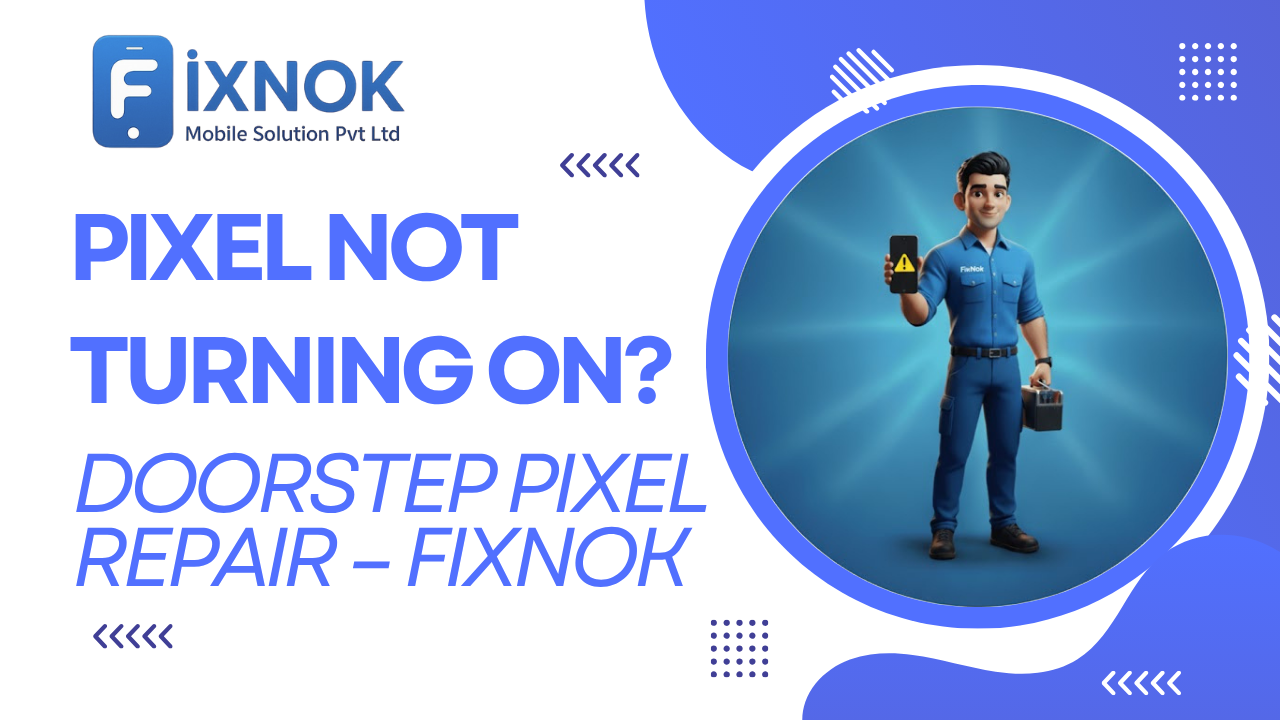
Google Pixel phones are known for their powerful cameras, smooth software experience, and premium hardware reliability.
But even the best Android phones sometimes face unexpected issues — and one of the most alarming is when your Google Pixel doesn’t turn on at all.
No charging sign…
No vibration…
No Google logo…
Just a completely dead phone.
If your Pixel is stuck, not responding, or totally black, don’t worry — FixNok Mobile Solution Pvt. Ltd. is here to help.
Many users search for Google Pixel Repair when their device suddenly stops turning on or charging.
We offer doorstep Google Pixel repair in Noida, so you don’t have to visit a repair shop or leave your phone behind. Our certified technicians diagnose and fix your Pixel right at your home or office, safely and professionally.
🔍 Why Your Google Pixel Is Not Turning On
Pixel phones can stop powering on due to several hardware and software issues.
Here are the most common causes:
🔋 1. Fully Drained or Damaged Battery
Pixel batteries often degrade after 1–2 years.
If the battery is dead, swollen, or damaged, the phone will not turn on.
🔌 2. Charging Port (USB-C) Damage
Dust, rust, bent pins, or loose connectors can block charging completely.
⚡ 3. Faulty Charger or Cable
Pixels are sensitive to fast-charging circuits. Non-original chargers often fail to power them.
💧 4. Water or Moisture Damage
Even a few drops can short-circuit charging components or the motherboard.
🔄 5. System Crash / Software Boot Failure
Android updates or app conflicts can cause the phone to freeze on a black screen.
🔥 6. Overheating Shut-Down
Pixels auto-power-off if internal temperature crosses a threshold.
🧠 7. Power IC or Motherboard Failure
A sudden drop, power surge, or water damage can kill the internal power chip.
🖥️ 8. Display Failure (Phone ON but No Screen)
Your Pixel may actually be ON, but with a dead display.
Whatever the cause — FixNok diagnoses the root issue instantly at your doorstep.
FixNok specializes in doorstep Google Pixel Repair, making the process easy and stress-free.
🧰 FixNok – Doorstep Google Pixel Repair in Noida
Waiting days at a service center is unnecessary.
FixNok brings expert Pixel repair directly to your home.
What FixNok Provides:
✔️ Doorstep Pixel repair
✔️ Certified Android technicians
✔️ Original-quality Pixel parts
✔️ Battery, charging, motherboard & software repairs
✔️ Full diagnosis and testing
✔️ Fast 30–45 minute service
✔️ Warranty on all repairs
✔️ Affordable & transparent pricing
✔️ 100% data safety
Your Pixel is repaired right in front of you — no risk, no waiting.
If your phone is dead, the best solution is professional Google Pixel Repair done in front of you.
⚙️ How FixNok’s Doorstep Repair Works
The entire repair process is simple and seamless:
1️⃣ Book Your Appointment
Call +91 8510055800 or visit our website.
2️⃣ Technician Arrives at Your Location
With all necessary tools and original spare parts.
3️⃣ Complete Diagnosis
We check:
- Battery health
- USB-C port
- Motherboard power supply
- Display condition
- Software & bootloader
4️⃣ Instant Repair / Replacement
Most issues are fixed on the spot.
5️⃣ Final Testing & Warranty
Your phone is returned fully functional with a service warranty.
⏱️ Total Time: 30–60 minutes
📍 Service Area: Your home / office
🧾 Warranty: 6–12 months
Most power-related issues need expert-level Google Pixel Repair to prevent further motherboard damage.
🔧 Issues We Fix for “Pixel Not Turning On”
FixNok technicians are experts in Pixel hardware & software repair.
🔋 1. Pixel Battery Replacement
If your Pixel battery is swollen, dead, or drained — we replace it instantly.
Models supported:
Pixel 3, 4, 5, 6, 6a, 7, 7a, 8 series.
🔌 2. Charging Port Repair / Replacement
USB-C ports are sensitive and often get damaged.
We fix:
- Loose port
- Dust blockage
- Rusted pins
- Charging only at one angle
⚙️ 3. Power IC (PMIC) Repair
If your Pixel died due to a short circuit or water, PMIC may be faulty.
We repair it professionally using micro-soldering equipment.
🖥️ 4. Display Not Working (Black Screen)
If the phone is ON but shows nothing, we replace:
- OLED screen
- Display connector
- Backlight IC
💧 5. Water Damage Deep Recovery
We clean the motherboard with advanced chemicals (ultrasonic treatment).
💽 6. Software Crash / Boot Loop Repair
We fix:
- Pixel stuck at Google logo
- Boot loop
- Screen stuck on black
- OS not loading
🔍 7. Motherboard Repair
Pixel logic boards are delicate — but FixNok has specialists who can repair:
- Short circuits
- Dead motherboard
- PMIC failure
- Audio IC
- Charging IC
📍 Doorstep Pixel Repair – Areas We Serve
FixNok covers all major locations in Noida & NCR:
- Sector 15, 18, 37
- Sector 50, 62, 63
- Greater Noida
- Indirapuram
- Ghaziabad
- Delhi NCR
Just search “Pixel repair near me” — FixNok is your top choice.
Water damage often requires deep cleaning and professional Google Pixel Repair techniques.
💡 DIY Fixes Before You Call FixNok
Try these steps before booking a repair:
1️⃣ Force Restart Your Pixel
Press & hold Power Button + Volume Down for 20 seconds.
2️⃣ Try a Different Charger/Cable
Type-C cables often fail internally.
3️⃣ Clean the Charging Port
Use a soft toothpick or brush — dust blocks charging.
4️⃣ Charge for 20 Minutes
If battery was completely drained, it may take time to respond.
5️⃣ Check for Overheating
Let the device cool for 15–20 minutes before powering on.
6️⃣ Try Safe Mode (If Screen Turns On)
Conflicting apps may cause black screen issues.
If none of these work — your Pixel needs immediate technical repair.
FixNok will fix it at your doorstep.
FixNok provides fast and transparent Google Pixel Repair for all Pixel mod
🔧 Inside the Google Pixel Power System – Why Dead Pixels Need Expert Repair
Google Pixel phones use advanced architecture designed for speed, camera performance, and AI processing.
However, this also means they have an extremely delicate power structure. When a Pixel doesn’t turn on, it is usually because one part of the power chain is interrupted.
The Pixel power system includes:
- Battery
- Battery management circuit
- USB-C charging IC
- PMIC (Power Management Integrated Circuit)
- Secondary regulators
- Display IC
- Bootloader
- Android system
A failure in even one tiny section can cause the entire phone to appear completely dead.
FixNok technicians understand this architecture deeply and diagnose issues within minutes.
If your Pixel shows no display, a proper Google Pixel Repair diagnosis can detect whether the issue is display or IC related.
⚡ Why Google Pixel Power Failures Are More Common Than Other Android Phones
Google Pixel devices are beautifully engineered — but extremely sensitive. Some common reasons why Google Pixel Not Turning On issues are widespread:
✔ 1. Tight Internal Design
Components sit very close to each other.
Even small damage can affect power circuits.
✔ 2. High Heat Generation
Google’s Tensor chip produces more heat than Snapdragon.
Heat damages the battery & PMIC.
✔ 3. Fast Charging Stress
Pixel supports high-watt charging; cheap cables damage charging IC.
✔ 4. Software-Heavy Processing
Pixels run many background AI tasks → battery drains quickly → auto-shutoff.
✔ 5. Fragile USB-C Ports
Pixel charging ports are known to fail after:
- Cable pulls
- Car chargers
- Moisture exposure
- Loose socket usage
FixNok specializes in Pixel charging & power IC repair, bringing your phone back to life safely.
Pixel charging issues are also part of Google Pixel Repair, especially USB-C port fixes.
💧 How Moisture Damages Pixel Power Supply (Even Without Water Exposure)
Most customers say:
“Phone paani mein nahi gira… phir bhi dead kaise ho gaya?”
Because moisture can enter ANY phone through:
- Sweat
- Steam from bathroom
- Rain
- High humidity
- Keeping phone on bed
- Keeping phone in tight pocket
- Gym environment
Inside a Pixel, moisture affects:
- Charging IC
- Display pins
- Power IC
- Battery connector
- Motherboard circuits
Even minor moisture can cause Google Pixel Not Turning On due to micro short circuits.
FixNok performs ultrasonic cleaning & corrosion removal to restore function.
Battery problems are the most common reason customers book Google Pixel Repair at their doorstep.
🔋 Battery Revival — FixNok’s Most Successful Dead Pixel Repair
Many dead Google Pixels only need battery boosting, not a full replacement.
FixNok uses deep-voltage stimulation tools that:
- Wake a deeply discharged battery
- Restore 0V batteries
- Activate safety switches
- Recover temporarily dead cells
This process often revives a Pixel instantly — without replacement.
If battery health is below 70%, FixNok recommends on-the-spot replacement with high-quality Pixel-compatible batteries.
If the device vibrates but doesn’t show a screen, Google Pixel Repair is required to check display IC.
🔌 Why USB-C Ports Fail More on Pixel Phones
Google Pixel USB-C ports are used for:
- Charging
- Data transfer
- Debugging
- Display connection
- Boot power supply
- Power IC activation
So if the port is unstable, your Pixel cannot turn on.
Signs of USB-C failure include:
- No charging sign
- Charging only at angle
- Fast charging not working
- Black screen even while plugged in
- No vibration
- Loose port feel
FixNok replaces USB-C ports in 20–30 minutes at your home.
Expert Google Pixel Repair ensures your data remains safe, as repairs happen in front of you.
🧠 PMIC (Power IC) – The Brain Behind Pixel Power
Power IC failure is one of the main reasons behind Google Pixel Not Turning On.
Symptoms include:
- Zero response
- No charging
- No logo
- No heat while plugged in
- Slight burning smell earlier
- Phone died suddenly
FixNok technicians use micro-soldering tools to:
- Reflow PMIC
- Replace PMIC (if required)
- Repair nearby shorted lines
- Restore proper voltage distribution
Not all repair shops can handle this — but FixNok is trained for Pixel-level IC work.
Ghost touch or black screen issues often need immediate Google Pixel Repair to avoid complete phone failure.
🖥️ Pixel Display Failures — The Silent Cause Behind Black Screens
Sometimes, your phone is actually ON, but the display is dead.
How to check?
- Does the phone heat up while charging?
- Does it vibrate on notifications?
- Do you hear sounds?
If yes → Display IC or the display panel is faulty.
FixNok replaces:
- OLED Screen
- Display Flex
- Backlight driver IC
- Touch IC
All repairs done in front of you.
FixNok uses original-quality parts while performing Google Pixel Repair, ensuring long-term performance.
🔄 Software-Level Pixel Power Issues — More Common Than You Think
Pixel software is clean and stable, but also sensitive.
Common software triggers for Pixel not turning on:
- Overloaded system cache
- Android update stuck mid-way
- App crash at boot
- Corruption in boot partition
- Play Services malfunction
- Bootloader lock failure
- Battery driver mismatch
- Firmware bug
FixNok performs:
- Soft reset
- Deep reboot
- Safe mode testing
- Bootloader recovery
- Cache wipe
- System fix
- OS re-flash (without data loss if possible)
If your phone heats up and shuts down, you likely need Google Pixel Repair for thermal and IC checks.
🚨 How to Know Whether It’s Hardware or Software Problem?
Hardware Failure Signs:
- No vibration
- No charging symbol
- No heating
- USB not detecting
- Pixel died suddenly
- Phone fell recently
- Water exposure
Software Failure Signs:
- Phone vibrates but no display
- Boot loop
- Pixel logo stuck
- Charging symbol shows sometimes
- Phone heats slightly
- Buttons respond
FixNok checks both in your presence.
Your phone can be revived quickly through doorstep Google Pixel Repair instead of visiting a crowded shop.
🧩 Why Choose FixNok Over Local Repair Shops
Most repair shops:
❌ Don’t use original-quality parts
❌ Replace wrong components
❌ Lose customer data
❌ Keep phones for days
❌ Do hidden repairs
❌ Use poor IC-repair tools
FixNok, on the other hand:
✔ Doorstep repair (home/office)
✔ Fully transparent service
✔ No data loss (phone stays with you)
✔ Certified Pixel specialists
✔ OEM-grade batteries & parts
✔ Warranty on every repair
✔ Ultra-fast 30–60 min service
✔ Affordable pricing
You see everything happening in front of you.
Charging IC problems are common, and only expert Google Pixel Repair can fix them safely.
🔧 Pixel Models that Frequently Face “Not Turning On” Issues
FixNok has repaired thousands of “dead Pixel” devices across Noida.
🔹 Pixel 3, 3A, 3XL
Common issue: battery + motherboard
🔹 Pixel 4, 4A, 4XL
Issue: charging IC + OS crash
🔹 Pixel 5, 5A
Issue: boot failure + USB-C loose
🔹 Pixel 6, 6A, 6 Pro
Issue: overheating + display issues
🔹 Pixel 7, 7A, 7 Pro
Issue: power IC + OS lock failure
🔹 Pixel 8, 8 Pro
Issue: sensor-related crash + battery failure
FixNok handles all models.
Many customers prefer FixNok for Google Pixel Repair because it avoids data theft or parts swapping.
🛑 Mistakes to Avoid When Your Pixel Doesn’t Turn On
Avoid doing these (these worsen the issue):
❌ Don’t press the power button repeatedly
❌ Don’t plug/unplug the charger rapidly
❌ Don’t heat phone with a dryer
❌ Don’t force open the phone
❌ Don’t press the screen hard
❌ Don’t update software forcefully
❌ Don’t connect to random chargers
Call FixNok for safe diagnostics.
Professional Google Pixel Repair helps detect hidden motherboard faults early.
🔄 How to Prevent Google Pixel from Dying Again
Follow these safety habits:
✔ Use original or PD-certified chargers
✔ Avoid gaming while charging
✔ Restart your phone twice a week
✔ Keep phone cool — avoid heat
✔ Do not drain battery under 5%
✔ Do not use local cables
✔ Clean USB-C port twice a week
✔ Replace battery after 1.5–2 years
These small steps prevent Google Pixel Not Turning On issues long-term.
If your Pixel restarts again and again, only detailed Google Pixel Repair can solve the root cause.
📞 FixNok – Noida’s #1 Google Pixel Doorstep Repair Service
FixNok repairs:
- Dead Pixels
- Pixel not turning on
- Pixel black screen
- Pixel not charging
- Boot loop
- Display failure
- Motherboard repair
- Battery replacement
- Water-damaged Pixels
All at your home.
Service Locations:
- Noida
- Greater Noida
- Indirapuram
- Ghaziabad
- Delhi
A dead Pixel phone usually needs battery or motherboard-level Google Pixel Repair.
🔬 How Google Pixel Manages Power Internally (Complete Breakdown)
To truly understand why your Google Pixel Not Turning On, it helps to know how the Pixel handles internal power distribution. Unlike many Android phones, Google Pixel devices use a multi-layered power management architecture with extremely strict safety protocols.
Here’s how the internal power chain works:
Step 1: Battery Sends Initial Voltage
The battery must provide a minimum voltage (usually above 3.4V).
If it’s below that → Pixel stays dead.
Step 2: Power Management IC (PMIC) Activates
This IC distributes current to RAM, CPU, display, and storage.
If PMIC is faulty → Pixel will never turn on.
Step 3: Secondary ICs Switch On
Charging IC, sub-power IC, display IC, and sensors begin receiving power.
Step 4: Bootloader Checks System Integrity
Pixel’s secure bootloader checks:
- OS integrity
- Boot files
- Security signatures
- Storage status
If anything fails → Pixel stays black.
Step 5: Display Activates
If the OLED display or connector is damaged → phone stays black even if it’s ON internally.
If ANY step fails → Google Pixel Not Turning On is the result.
This layered structure is why Pixel power issues require expert handling and cannot be fixed by random trial methods.
Screen issues including flickering or blank display are resolved through proper Google Pixel Repair.
🔥 Thermal Behavior — How Heat Kills Pixel Power Over Time
Google Pixel devices generate more heat than many competitors due to:
- Tensor chipset
- AI-based background processing
- High brightness OLED screens
- Heavy camera processing
- Tight internal structure
What heat does inside the phone?
Heat damages:
- Battery cells
- PMIC solder pads
- Display connectors
- Charging IC
- Storage chip
- Wi-Fi/Network IC
Over time, repeated heating cycles cause:
- Sudden shutdown
- Boot failure
- Screen freeze
- Google logo stuck
- Pixel Not Turning On
FixNok performs thermal diagnostics to detect heat-related motherboard faults.
FixNok technicians perform advanced Google Pixel Repair using micro-soldering and diagnostic tools.
💡 Why Pixels Die After Overnight Charging
Many users say:
“Phone charge ho raha tha… aur subah dead ho gaya.”
This happens due to:
💥 1. Heat Build-Up
Charging overnight increases heat stress.
⚡ 2. Voltage Spikes
Non-original chargers send inconsistent power.
🔋 3. Battery Overstress
If battery is already weak, overnight charging kills it.
🔌 4. Charging IC Overload
Overnight current inflow damages the charging IC.
This is a very common cause of Google Pixel Not Turning On.
FixNok checks battery cycles, health, and voltage to confirm this issue.
Software faults like boot loops also fall under Google Pixel Repair, especially when system files get corrupted.
💧 Corrosion Effects — The Silent Killer of Google Pixel Phones
Even if your Pixel never fell in water, moisture builds over months:
- Inside pockets (sweat)
- After working out
- Using phone with wet hands
- Bathroom steam
- Monsoon humidity
Moisture creates corrosion, which spreads like rust inside:
- Touch connectors
- PMIC pins
- Charging port
- Display FPC
- Battery contacts
Eventually, small corrosion becomes a short circuit → Pixel becomes completely dead.
FixNok uses:
- Ultrasonic cleaning
- Anti-corrosive chemicals
- Micro-brushing
- Alcohol-based reactivation
This restores the motherboard safely.
People choose FixNok because their Google Pixel Repair service is fast, safe, and fully transparent.
🧩 Why Google Pixel’s Bootloader Failure Happens Frequently
Google Pixel phones have extremely strict security protocols.
This is good for safety, but bad for repairs.
If any system file is corrupted, Pixel refuses to boot.
Bootloader failure causes:
- Blank screen
- Google logo stuck
- Pixel keeps restarting
- No vibration
- No display
Why bootloader fails:
- Interrupted update
- Low battery during update
- Corrupted storage
- App conflict
- Cache overload
- Factory reset glitch
- Firmware mismatch
FixNok performs deep-level system restoration without data loss (when possible).
For emergency cases, FixNok offers on-the-spot Google Pixel Repair in under 30–45 minutes.
🧠 Storage Chip Failure — Another Hidden Reason for a Dead Pixel
Google Pixel stores the entire OS in UFS storage chips.
If the chip is damaged:
- Phone won’t turn on
- Phone gets stuck at Google logo
- Phone vibrates but stays black
- Phone heats up while staying off
Storage failures occur due to:
- Overheating
- Long gaming sessions
- Sudden impact
- Water damage
- Manufacturing defects
FixNok repairs faulty storage pathways and restores bootability.
For sudden dead phone issues, doorstep Google Pixel Repair is the fastest and safest solution.
📡 Network IC & Pixel Power Failure
Network IC (Wi-Fi/Cellular) issues sometimes prevent the phone from turning on.
Why?
Because Pixel phones perform modem checks before booting.
If the modem IC fails → bootloader stops → Google Pixel Not Turning On.
Symptoms include:
- Sudden dead phone
- No signal before shutdown
- Heating around camera area
- Phone restarting before dying
FixNok technicians repair modem IC issues with micro-soldering.
Many users trust FixNok for Google Pixel Repair because all repairs happen transparently in front of them.
🧰 FixNok’s Advanced Tools for Google Pixel Dead Phone Repair
FixNok technicians carry professional-grade equipment normally found only in labs:
✔ DC Power Supply
To inject power and see if the motherboard responds.
✔ Thermal Camera
To detect overheating ICs.
✔ Microscope
For connector and IC inspections.
✔ Multimeter
To check power line continuity.
✔ Ultrasonic Cleaner
For moisture and corrosion restoration.
✔ Professional Screw Kits
For safe opening of Pixel devices.
✔ Micro-Soldering Station
For IC repairs.
These tools ensure safe, fast, and accurate repair at your location.
If your phone heats up or restarts randomly, you may need internal board-level Google Pixel Repair.
🛠 How FixNok Recovers a Completely Dead Pixel (Step-by-Step)
1. Initial External Check
- Battery swelling
- Body bending
- Charging port condition
2. Deep Charging Attempt
Used to revive deeply drained batteries.
3. Power Line Testing
Check for motherboard shorts.
4. Battery Voltage Test
If below 3.0V → revive battery.
5. USB-C Port Test
Check loose or damaged pins.
6. Display Connector Test
If display is dead → replace screen.
7. PMIC/IC Heat Check
Using thermal camera to detect faulty IC.
8. Software Recovery
Fix bootloader, recovery mode, safe mode, and OS.
9. Full Functional Testing
Ensure everything works — charging, display, vibration, power, apps.
10. Warranty & Delivery
FixNok provides doorstep repair, warranty, and complete transparency.
When the Pixel doesn’t charge or shows no logo, only proper Google Pixel Repair can restore power flow.
🛡 How to Prevent Google Pixel from Turning Off Again
Follow these long-term safety tips:
✔ Use a PD-certified original charger
✔ Never let battery fall below 5%
✔ Avoid using the phone while charging
✔ Do not overcharge overnight
✔ Clean charging port with a brush weekly
✔ Avoid installing suspicious apps
✔ Restart phone once every 3–4 days
✔ Keep the phone cool
✔ Avoid cheap cables
✔ Replace the battery after 18–24 months
✔ Don’t ignore heating issues
✔ Never charge using car chargers
These precautions significantly reduce the chances of Google Pixel Not Turning On again.
FixNok provides fully tested spare parts during Google Pixel Repair, ensuring long-lasting performance.
📝 Signs Your Pixel Is About to Die (Before It Happens)
If you notice these signs, repair it immediately:
- Phone shuts down randomly
- Slight lag before turning on
- Pixel logo loop
- Battery draining fast
- Phone heating while idle
- USB-C loose
- Display flickering
- No fast charging
- Occasional black screen
- Vibration but no display
These are early indicators of an upcoming power failure.
FixNok can fix these before your Pixel becomes completely dead.
Even display problems like black screen or flickering fall under Google Pixel Repair and can be fixed at home.
📞 FixNok — Your Pixel’s Doctor at Home
FixNok repairs:
- Dead Pixel phones
- Pixel not turning on
- Pixel no logo
- Pixel not charging
- Battery failure
- Charging port issues
- Water damage
- Display not working
- Bootloop
- Motherboard repair
If your Pixel is stuck on the Google logo, it requires advanced software-level Google Pixel Repair.
A faulty USB-C port is another reason customers book Google Pixel Repair for fast charging issues.
see our customer love : https://share.google/aW3YXIUWY5YFKNATg
📱 Call / WhatsApp: 9015641064
🌐 www.fixnok.com
FixNok — Noida’s Most Trusted Google Pixel Dead Phone Repair Service.