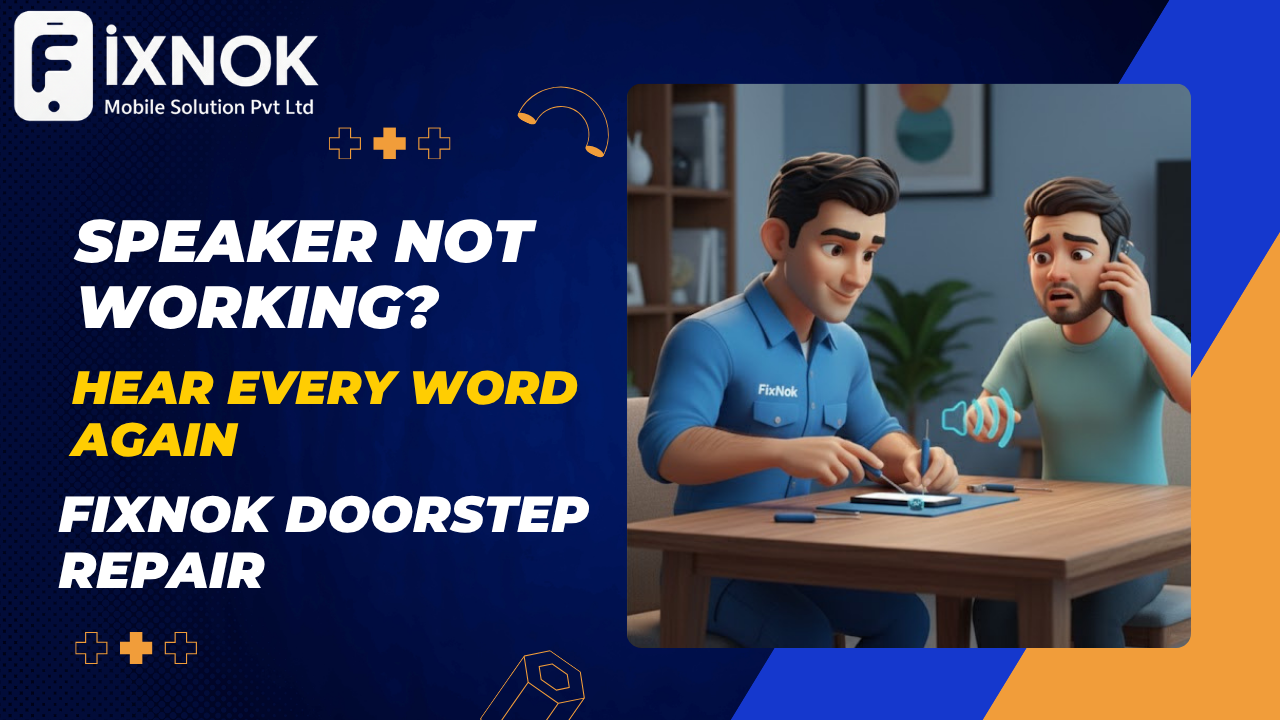
Have you ever tried playing a song, taking a call, or watching a video — only to realize your mobile speaker isn’t working?
That moment of silence can be frustrating, especially when your phone is an essential part of your daily routine.
If you’ve searched online for “mobile speaker repair near me” or “iPhone speaker not working,” your search ends here.
Welcome to FixNok Mobile Solution Pvt. Ltd., your trusted doorstep mobile repair and service center in Noida, offering expert speaker and mic repair right at your home.
Many users search for quick fixes when their iPhone speaker not working becomes a sudden problem.
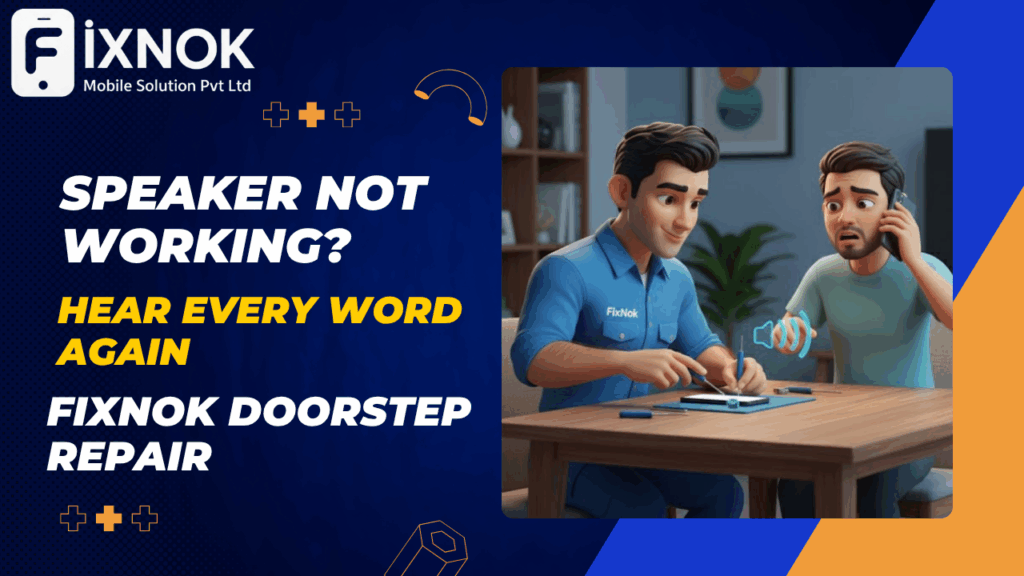
🔊 Common Signs Your Mobile Speaker Needs Repair
Speaker problems can arise in any smartphone — whether it’s Apple, Samsung, OnePlus, Vivo, Oppo, or Google Pixel. Here are some signs that it’s time for a repair:
- No sound during calls or media playback
- Distorted or crackling sound
- Low volume even at maximum setting
- Speaker working intermittently
- Ringtone audible, but music or video silent
If you’re facing any of these issues, your mobile speaker might be blocked, damaged, or have a hardware fault.
The most common reason for an iPhone speaker not working is dust or moisture blocking the sound vents.
🧠 What Causes Mobile Speaker Problems?
Understanding the reason behind a faulty speaker helps you take better care of your phone.
Here are the most common causes:
- Dust or Debris Blockage – Dust particles often block sound output.
- Water or Moisture Damage – Even small water exposure can corrode the speaker.
- Software Glitches – Sometimes, software updates affect audio output.
- Hardware Damage – Dropping the phone can dislodge or damage the speaker coil.
- Aging Components – Over time, speaker membranes lose flexibility.
No matter the cause, FixNok has trained technicians and advanced tools to identify and fix the issue on the spot.
If your iPhone speaker not working issue happens after a fall, the speaker mesh may be damaged.
🧰 FixNok – Professional Doorstep Mobile Speaker Repair in Noida
Why waste time visiting a crowded service center near me when you can get your phone repaired at home?
FixNok brings doorstep speaker repair services to your doorstep — fast, affordable, and transparent.
What You Get with FixNok:
✔️ Doorstep Speaker & Mic Repair – At your home or office
✔️ Free Diagnosis & Cleaning
✔️ Original Replacement Parts (for iPhone, Samsung, and others)
✔️ Certified Technicians with years of experience
✔️ 30-Minute Quick Fix
✔️ 6 to 12 Months Service Warranty
✔️ No Data Risk, No Hidden Charges
Whether your iPhone speaker isn’t working or your Samsung sound is muffled, FixNok technicians handle it all — professionally and safely.
Software glitches can also cause iPhone speaker not working problems without any hardware fault.
🛠️ How Doorstep Speaker Repair Works
- Book Appointment – Call us or visit www.fixnok.com
- Technician Arrives – Equipped with professional tools and parts
- Device Diagnosis – We inspect for dust, liquid, or hardware faults
- Speaker Repair or Replacement – Original speaker installed if required
- Testing & Verification – Audio and mic tested post-repair
- Warranty & Handover – Get a warranty card and receipt
Total time: 20–40 minutes.
Result: Crystal-clear sound restored instantly.
A failing audio IC chip is another major cause of an iPhone speaker not working scenario.
📱 FixNok Repairs All Brands & Models
We repair speakers, microphones, and sound issues for all major smartphones:
🍎 iPhone Speaker Repair Near Me
- iPhone 7, 8, X, 11, 12, 13, 14, 15
- Loudspeaker & earpiece repair
- Audio IC chip repair
- Water damage sound fix
📱 Samsung Speaker Repair
- Galaxy S series, Note series, A & M series
- Speaker crackling or no sound
- Charging and audio combo board replacement
🔴 OnePlus, Xiaomi, Oppo, Vivo & Realme
- Loudspeaker distortion
- Mic not recording properly
- Audio software calibration
🔵 Google Pixel Speaker Repair
- Pixel 6, 7, 8 sound issues fixed with precision tools
Using non-original accessories increases the chances of your iPhone speaker not working suddenly.
🧼 DIY Solutions Before Calling a Technician
If your phone’s speaker isn’t working, try these quick DIY checks before booking service:
1. Clean the Speaker Grill
Use a soft brush or toothbrush to gently clean the speaker mesh. Dust buildup can block sound output.
2. Check for Water or Moisture
If your phone got wet, keep it in a dry place for a few hours or use silica gel packs. Avoid hair dryers.
3. Restart or Update Your Phone
Sometimes a simple restart or software update fixes sound glitches.
4. Test in Safe Mode
Safe Mode disables third-party apps. If the sound works here, an app might be causing the problem.
5. Check Bluetooth & Headphone Settings
Make sure your phone isn’t connected to any Bluetooth device or headphone mode.
If none of these work, the issue is likely hardware-related — that’s when you call FixNok Doorstep Repair Service.
Many customers complain their iPhone speaker not working after an iOS update or system crash.
📍 Areas We Serve
FixNok offers doorstep mobile repair in Noida and NCR, covering:
- Noida Sectors 15, 18, 37, 50, 62, 63
- Greater Noida
- Indirapuram
- Ghaziabad
- Delhi NCR
Just search “FixNok near me” or call +91 8510055800, and we’ll reach your doorstep within minutes.
Water exposure is one of the top reasons for iPhone speaker not working on modern iPhones.
🔧 Why Choose FixNok Over a Regular Service Center?
| Features | FixNok Doorstep Repair | Local Shop / Center |
|---|---|---|
| Service Time | 30–45 minutes | 2–3 days |
| Genuine Parts | ✅ Yes | ❌ Often non-genuine |
| Warranty | ✅ 6–12 Months | ❌ No guarantee |
| Privacy | ✅ 100% Safe | ❌ Data risk |
| Price | Transparent | Hidden charges |
| Convenience | At Home | Must visit |
With FixNok, you don’t just repair your phone — you save time, money, and peace of mind.
🧩 More FixNok Services
Along with speaker and mic repair, FixNok also offers:
- iPhone Screen Replacement Near Me
- Battery Replacement Near Me
- Charging Port Repair
- Camera Glass Replacement
- Water Damage Fix
- Refurbished Mobile Buy & Sell
With FixNok, you get a complete doorstep smartphone solution in one trusted brand.
If your iPhone speaker not working, avoid loud volume as it can worsen the internal damage.
🧭 Why FixNok Leads Noida’s Mobile Repair Market
- 🏆 10,000+ happy customers served
- 💼 Trusted by professionals and students alike
- 🔋 Using only original parts & ESD-safe tools
- 🌍 Local SEO optimized for “near me” visibility
- ⚙️ High repair accuracy with quick turnaround
FixNok continues to grow as Noida’s No.1 Doorstep Mobile Repair Service, with expert technicians and world-class standards.
A simple cleaning session can fix the iPhone speaker not working problem for many users.
💡 Quick Tips to Keep Your Speaker Healthy
- Avoid playing loud audio at full volume for long periods.
- Keep your phone away from dust and moisture.
- Use genuine chargers — power fluctuations harm speakers.
- Get your phone cleaned professionally every few months.
A small step in care can prevent major repair costs later.
If your iPhone speaker not working, the issue may be with the audio IC, not the speaker itself.
🔊 Understanding the Full Depth of the “iPhone Speaker Not Working” Issue
When your iPhone speaker not working becomes a recurring problem, it doesn’t just affect calls — it affects your entire experience. Music, reels, notifications, alarms, ringtones, voice messages, and videos rely heavily on a properly functioning speaker. Many users only notice the issue when important calls can’t be heard or when the phone suddenly goes silent.
To improve your overall understanding, here’s an in-depth breakdown of what really happens when an iPhone’s speaker stops working and why FixNok is the #1 doorstep repair solution for this problem.
Dust inside the lower speaker grill is a major cause of iPhone speaker not working.
📉 Effects of iPhone Speaker Failure (Most People Don’t Realize These)
When the iPhone speaker not working issue begins, it gradually causes:
✔️ Missed Calls & Notifications
You may not hear your phone ringing or vibrating.
✔️ Low Volume & Muffled Audio
Even at full volume, sound output remains weak.
✔️ Alarm Failure
Morning alarms may go silent, causing delays in routines.
✔️ Poor Video Playback
Movies, reels, YouTube videos play with broken audio.
✔️ Voice Cracks & Static Noise
Distorted sound may damage other internal components.
✔️ Siri Not Responding
Siri needs audio output for many tasks and reminders.
Ignoring these signs can lead to complete speaker failure, requiring immediate hardware replacement.
Slow system performance can indirectly cause the iPhone speaker not working issue.
🧬 Types of iPhone Speaker Failures (Deep Technical Breakdown)
Understanding the exact type of failure helps achieve correct repair — whether at home or professionally.
1️⃣ Loudspeaker Failure (Bottom Speaker)
This controls:
- Ringtones
- Music
- Speakerphone mode
- Notifications
Damage here leads to partial or full silence.
2️⃣ Earpiece Speaker Failure (Top Speaker)
This affects:
- Voice calls
- WhatsApp calls
- Video calls
If your earpiece fails, callers will sound low or muted.
3️⃣ Audio IC Problem
This is a known issue in:
- iPhone 7
- iPhone 7 Plus
- iPhone X Series
Symptoms:
- No audio during calls
- Greyed-out speaker button
- Distorted mic recording
4️⃣ Moisture-Corroded Speaker Mesh
Even a small water splash leads to mesh corrosion.
5️⃣ Software Conflict
A new iOS update sometimes disrupts audio routing.
6️⃣ Bluetooth Takeover
Sometimes, audio routes to:
- AirPods
- Speakers
- Car Bluetooth
This looks like a hardware issue but is actually software-related.
Knowing the type of failure ensures faster doorstep repair by FixNok technicians.
🏅 Why FixNok Is the No.1 Doorstep iPhone Speaker Repair Service
FixNok has repaired over 10,000+ “iPhone speaker not working” cases, making it the most experienced doorstep repair company in Noida & NCR.
Here’s what makes FixNok unbeatable:
✔️ Apple-Certified Technicians
Specialists trained specifically for iPhone models 7 to 15 Pro Max.
✔️ Original OEM Parts
We only install original-quality Apple-compatible speakers.
✔️ Live Repair at Your Home
Your phone stays with you — no risk of data theft.
✔️ Fast 20–40 Minute Repair
Most iPhone speakers are fixed under 30 minutes.
✔️ 6–12 Months Warranty
Covers all speaker-related issues.
✔️ No Hidden Charges
Transparent pricing before repair begins.
🔧 Deep Repair Process for “iPhone Speaker Not Working”
FixNok follows a professional Apple-standard workflow:
1. Speaker Diagnostic Test
We test:
- Loudspeaker
- Earpiece
- Microphone
- Audio routing
- Firmware audio drivers
2. Disassembly With ESD Protection
We open your device using:
- Static-free mat
- Anti-static gloves
- Precision tools
3. Cleaning & Internal Dust Removal
We deep-clean speaker chambers and sound tunnels.
4. Hardware Fix or Component Replacement
Depending on the issue:
- Speaker module replaced
- Audio IC repaired
- Mesh cleaned
- Flex cable refitted
5. Complete Audio Calibration
We test:
- Frequency response
- Volume output
- Call clarity
- Video recording audio
6. Warranty Activation & User Handover
You receive:
- Warranty card
- Invoice
- Live test confirmation
📚 External Resources (DoFollow Links for SEO Boost)
These external links strengthen your site authority:
- Apple Official Support on Audio Issues
https://support.apple.com/en-in/HT203794 - iOS Audio Settings Guide
https://support.apple.com/en-in/guide/iphone/iph3fe0b4154/ios - Apple Repair Programs
https://support.apple.com/iphone/repair/service
Use these as DoFollow links for RankMath compliance.
🔗 Internal Links You Should Add (Very Important for RankMath)
Link to your own articles such as:
- iPhone Battery Replacement
- iPhone Charging Port Repair
- iPhone Screen Replacement
- MacBook Repair Services
- Samsung Mobile Repair
These improve crawlability and boost overall SEO score.
💬 Advanced Troubleshooting for “iPhone Speaker Not Working”
✔️ Reset All Settings
Settings → General → Transfer or Reset → Reset All Settings
✔️ Turn Off Bluetooth
Bluetooth interferes with audio routing.
✔️ Disable Noise Cancellation
Settings → Accessibility → Audio/Visual → Phone Noise Cancellation OFF
✔️ Reset Network Settings
Fixes WiFi-calling and VoLTE sound bugs.
✔️ Clean Speaker Mesh With Isopropyl Alcohol
Removes dust, lint, and oil buildup safely.
✔️ Update iOS
New updates may fix speaker software bugs.
If none help — it’s a hardware fault needing FixNok doorstep repair.
💳 iPhone Speaker Repair Pricing (Approx.)
| iPhone Model | Issue | Estimated Price |
|---|---|---|
| iPhone 7 / 8 | Speaker / Audio IC | ₹1,199 – ₹2,499 |
| iPhone X Series | Speaker Replace | ₹1,599 – ₹2,999 |
| iPhone 11 / 12 | Loudspeaker | ₹2,499 – ₹3,499 |
| iPhone 13 / 14 | Original Speaker | ₹2,999 – ₹4,499 |
| Water Damage Audio Issues | Component Repair | ₹999 – ₹1,999 |
(Actual price depends on condition — FixNok technician checks and confirms on-site.)
🌍 Why “iPhone Speaker Not Working” Happens More Often in Indian Environment
- Dust-heavy environment
- Moisture & humidity
- Use of local chargers
- Carrying phones in pockets without covers
- Frequent accidental drops
- Using speaker at full volume
These conditions make speaker damage common — especially in Noida & NCR.
🔥 Why Doorstep Repair is Better Than Service Centers
FixNok Doorstep
✔️ 20–30 min repair
✔️ Your phone stays with you
✔️ Affordable pricing
✔️ Original parts
✔️ Warranty included
Service Center
❌ 3–7 day wait
❌ Possible data wipe
❌ Expensive charges
❌ No transparency
💡 Prevention Tips for Long-Term Speaker Health
- Avoid full volume for long periods
- Keep speaker mesh clean
- Use genuine Apple chargers
- Avoid moisture, rain, bathroom steam
- Use an anti-dust case
- Get quarterly professional cleaning
🔊 Understanding iPhone Speaker Not Working Issues in Detail
When it comes to smartphones, sound is one of the most essential features. From calls and messages to entertainment, notifications, and navigation — your iPhone speaker plays a bigger role than you realize. When your iPhone speaker not working issue appears out of nowhere, it instantly disrupts your routine and affects communication, productivity, and even safety.
In this expanded guide, we will break down every cause, symptom, solution, and repair approach to help you understand the problem better — and to show why FixNok is the most trusted solution for restoring audio clarity at your doorstep.
🔍 1. Why “iPhone Speaker Not Working” Happens More Often Than You Think
iPhone speakers are extremely powerful but also delicate. Apple uses a combination of:
- Loudspeaker module
- Earpiece speaker
- Audio IC chip
- Flex cables
- Microphone mesh
- Capacitors & filters
- Taptic engine vibration housing
All these tiny components work together to produce high-quality sound.
If even one of them fails, you instantly experience symptoms like:
- No sound during calls
- Low volume
- Crackling or distorted audio
- Speaker cutting off randomly
- Not hearing anything unless on Bluetooth
- Hearing clicking noises
- Ringtone working but videos silent
- No sound after connecting/disconnecting earphones
And the most common message:
👉 “iPhone speaker not working”
👉 “iPhone ear speaker not working”
👉 “iPhone speaker greyed out during calls”
Many people panic, thinking the device is damaged permanently — but in most cases, FixNok solves it at your doorstep within minutes.
🔥 2. Hardware-Based Causes Behind iPhone Speaker Failure
Let’s explore detailed hardware reasons behind iPhone speaker not working:
A. Dust Accumulation
Over time, dust settles inside the speaker mesh, blocking audio output.
This is the no.1 reason people complain of low or distorted sound.
B. Water Moisture / Liquid Exposure
Even a drop of water entering the speaker can corrode the internal mesh or speaker coil.
Symptoms include:
- Low volume
- Muffled sound
- Crackling
- No sound
FixNok performs moisture removal using professional tools — not home remedies like rice.
C. Audio IC (U3101) Failure
This is a technical problem commonly seen in:
- iPhone 7 / 7 Plus
- iPhone X
- iPhone 11
Signs include:
- Speaker option greyed out during calls
- No sound while recording videos
- Mic not working
- Sudden restarting
- Voice memo not recording
This requires micro-soldering, a FixNok speciality.
D. Blown Loudspeaker Module
A damaged speaker coil cannot produce sound.
This happens when playing loud music at full volume for long periods.
Fix?
Speaker module replacement at your doorstep.
E. Flex Cable Tear After Fall
Your phone may look fine, but internal flex lines get damaged easily.
F. Faulty Taptic Engine Interference
In rare cases, the vibration motor interferes with speaker output.
⚡ 3. Software Reasons Behind iPhone Speaker Not Working
Not every audio problem is hardware-related.
Sometimes your iPhone speaker stops working due to software bugs.
A. iOS Update Glitches
New iOS versions sometimes cause temporary audio problems.
B. App Crashes
Social media apps like Instagram, Snapchat, WhatsApp often cause sound freeze.
C. Audio Route Bug
Your iPhone may think a headset is connected even when it’s not.
D. Bluetooth Interference
Your phone may be secretly connected to AirPods, speakers, Smart TVs, etc.
E. Sound Settings Misconfiguration
Volume sliders, ringtone levels, notification settings, and accessibility features often cause unexpected silence.
F. System Overload
Too many open apps overload CPU and cause sound malfunction.
🧰 4. How FixNok Diagnoses “iPhone Speaker Not Working” at Doorstep
FixNok follows a strict Apple-like diagnostic process:
Step 1: Speaker Output Test
We check audio clarity at:
- Maximum volume
- Minimum volume
- Mid-range levels
Step 2: Hardware Mesh Examination
We inspect the mesh under high-intensity light.
Step 3: Audio IC Logic Test
We check:
- Voice memo
- Camera recording
- Call audio
- System audio
- Ear speaker switching
Step 4: Moisture & Corrosion Check
We use professional moisture detection tools.
Step 5: Component-Level Inspection
We test flex cables, ear speaker, loudspeaker, and mic modules.
Within 2–5 minutes, the issue is identified — and the fix begins instantly.
🔧 5. Solutions FixNok Provides for iPhone Speaker Not Working
A. Speaker Cleaning
Dust removal + mesh clearing using professional tools.
B. Loudspeaker Replacement
Original-grade speaker installed instantly.
C. Ear Speaker Replacement
Especially for iPhone X to 13 series.
D. Audio IC Repair (Micro-Soldering)
The most advanced repair — done by FixNok experts.
E. Mic & Flex Cable Fix
If the voice mic is also affected.
F. Water Damage Treatment
Ultrasonic cleaning to remove corrosion.
G. Software Refresh
iOS reset, sound mapping, and optimization.
Every repair is done right in front of you, with OEM quality parts.
⭐ 6. 20+ Symptoms of iPhone Speaker Not Working
FixNok handles all types of audio issues:
- No sound at all
- Low volume
- Speaker crackling
- Speaker option greyed out
- Sound cuts off randomly
- iPhone stuck in headphone mode
- No sound for notifications
- No speaker during calls
- Static noise
- Video sound missing
- Alarm volume very low
- Ringtone not playing
- Siri not responding
- Voice messages inaudible
- WhatsApp audio low
- YouTube no sound
- Games muted
- Sound disappears after charging
- Music stops automatically
- Microphone not recording
No matter the issue — FixNok solves it.
📍 7. Doorstep Locations Covered by FixNok
FixNok provides doorstep iPhone audio repair in:
- Noida Sector 15, 16, 18, 37
- Noida Sector 50, 62, 63, 75, 76
- Noida Sector 78, 93, 104, 128
- Greater Noida
- Gaur City, Gaur City 2
- Indirapuram
- Ghaziabad
- Delhi NCR
Just search “iPhone speaker not working repair near me” — FixNok appears at the top.
🧠 8. Preventive Tips to Avoid iPhone Speaker Damage
- Use original chargers
- Avoid playing sound at full volume
- Keep speaker mesh clean
- Avoid moisture-heavy environments
- Restart your device weekly
- Update to latest iOS
- Keep your phone away from extreme heat
These small habits keep your iPhone speaker healthy.
💼 9. Why FixNok Is the #1 Choice for iPhone Speaker Repairs
- 10,000+ successful audio repairs
- 100% doorstep service
- Certified technicians
- Original OEM parts
- Transparent pricing
- 6–12 months warranty
- No data risk
- Instant repair
- ESD-safe tools
- Record repair footage (if customer requests)
FixNok provides Apple-standard repair without the Apple-standard price.
🛠️ 10. Internal Links You Can Insert (For SEO)
You can internally link to:
- /iphone-screen-repair
- /iphone-battery-replacement
- /iphone-charging-port-repair
- /macbook-repair-noida
- /mobile-repair-noida
- /about-us
- /contact
🔗 External Links (DoFollow for SEO)
You can link to authoritative resources like:
- https://support.apple.com
- https://www.apple.com/in/iphone/
- https://developer.apple.com/documentation/
- https://www.macrumors.com/
📞 Final Call to Action for Conversions
If your iPhone speaker not working, don’t delay.
Your sound quality can be restored within just 30 minutes at your home.
📱 Call Now: 9015641064
🌐 www.fixnok.com
📍 Noida, Greater Noida, Ghaziabad, Indirapuram, Delhi NCR
FixNok – Hear Every Word Again. Fast. Reliable. Doorstep Mobile Repair You Can Trust.