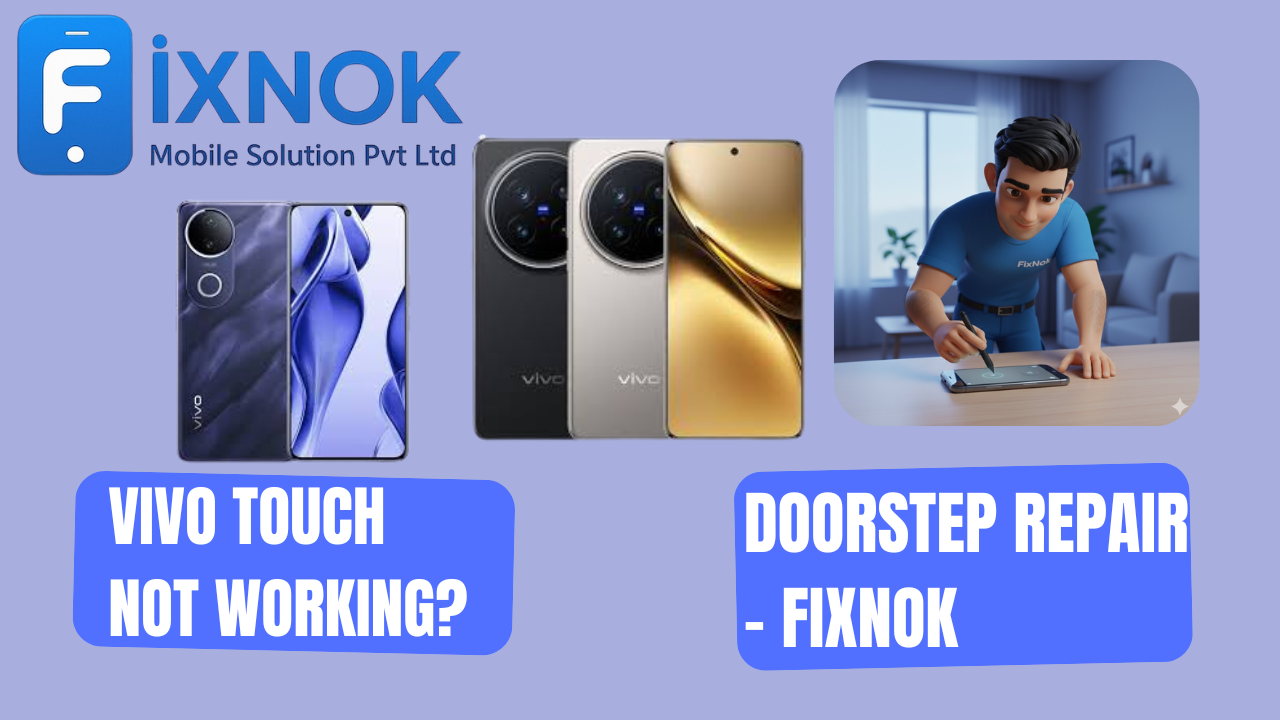
Vivo touch not working? it is unresponsive, laggy, frozen, or working automatically on its own, the problem may be more serious than it looks. Vivo displays are sensitive, and issues usually occur due to hardware faults, screen damage, moisture, or internal connector problems.
Instead of visiting a shop or handing your phone to strangers, FixNok Mobile Solution Pvt. Ltd. offers doorstep Vivo touch repair across Noida.
Your Vivo device is repaired safely, quickly, and privately — right at your home.
🔍 Why Is Your Vivo Touch Screen Not Working?
There are several reasons why a Vivo phone’s touch screen stops responding:
Many users experience Vivo Touch Not Working after accidental phone drops or pressure damage.
1️⃣ Damaged or Cracked Display
Even small cracks affect touch sensitivity.
2️⃣ Loose Display Connector
After a fall, the connector may loosen, causing ghost touch or no touch.
3️⃣ Moisture or Sweat Inside Screen
Water damages touch layers instantly.
4️⃣ Old or Weak Display
Brightness loss and touch delay happen with prolonged use.
5️⃣ Software Lag / System Freeze
An update or app crash can freeze the entire screen.
6️⃣ Faulty Touch IC / Motherboard Issue
Touch IC failure results in random touch or completely dead touch.
7️⃣ Unresponsive After Charging
Low-quality chargers often cause temporary touch malfunction.
No matter the cause — FixNok technicians detect the issue in minutes.
If your screen is freezing or responding slowly, it is a clear sign of Vivo Touch Not Working due to digitizer failure.
🧰 FixNok Doorstep Touch Repair for Vivo Phones
FixNok repairs every touch-related issue within 30–45 minutes on-site.
✔️ What We Fix:
- Touch not responding
- Dead touch on half or full screen
- Vivo ghost touch issue
- Touch lag / delay
- Display not working
- Flickering or blank screen
- Touch IC & connector faults
- Water-damaged touch
- Lines on screen
- Vivo stuck / frozen screen
✔️ Why Choose FixNok?
- Doorstep repair at home/office
- Certified Vivo technicians
- Original/OEM display panels
- Transparent testing in front of you
- Warranty included
- No data loss
- 100% safe and professional
Your Vivo phone stays in your hands — no risk, no waiting.
Moisture entering the display layer is one of the biggest causes of Vivo Touch Not Working, especially during humid weather.
⚙️ Vivo Touch Repairs We Provide at Doorstep
🔧 Display Screen Replacement
Original-quality display installed right at your home.
🔧 Connector Refixing
If the touch stops after a drop, refixing restores it.
🔧 Touch IC / Motherboard Repair
We repair touch IC faults using micro-soldering tools.
🔧 Software Reset / Optimization
If apps or cache cause freezing, we refresh the system.
🔧 Moisture & Liquid Damage Fix
We clean the motherboard and screen layers properly.
In several Vivo models, Vivo Touch Not Working issues start with minor ghost touches before the touch stops completely.
📍 Doorstep Vivo Repair – Areas We Serve
FixNok technicians are available across:
- Noida Sector 15, 18, 37, 50
- Sector 62, 63, 75, 78
- Greater Noida
- Indirapuram
- Ghaziabad
- Delhi NCR
Just search “Vivo touch not working repair near me” — FixNok will reach you.
A weak or damaged battery can also lead to Vivo Touch Not Working, as touch ICs require stable voltage.
🛠️ DIY Fixes Before Booking FixNok
Try these simple checks:
1️⃣ Remove Screen Guard
A faulty tempered glass may block touch.
2️⃣ Restart the Phone
Touch freezes due to system crash.
3️⃣ Check for Moisture
Dry the phone gently if you suspect liquid exposure.
4️⃣ Charge with Original Adapter
Low-quality chargers cause ghost touch.
5️⃣ Boot in Safe Mode
If touch works in safe mode, an app is the cause.
If touch remains dead — the display or connector needs repair.
FixNok technicians frequently repair Vivo Touch Not Working caused by loose connectors or faulty flex cables.
🔧 Deep Technical Explanation: Why Vivo Touch Stops Working (Complete Breakdown)
When users experience Vivo Touch Not Working, most believe it is just a display issue. But modern Vivo smartphones contain multiple hardware layers, separate touch circuits, and micro-level connectors that control touch response. A failure in any of these layers can cause partial or complete touch failure.
Below is a deeper, technician-level explanation of what exactly causes Vivo touch issues and how FixNok diagnoses and repairs them.
🔌 1. The Structure of a Vivo Display and Touch System
A Vivo display is not just a screen. It contains:
- LCD or AMOLED panel
- Digitizer (touch layer)
- Touch IC (controller chip)
- FPC flex cable
- Sub-board connector
- Motherboard touch pins
- Frame bonding (OCA adhesive)
If even one of these layers gets damaged, your Vivo touch becomes unresponsive.
Digitizer Failure
The digitizer is a transparent touch-sensitive layer.
If it breaks:
- Touch stops partially
- Touch stops entirely
- Ghost touch happens
- Screen works but touch doesn’t
This is one of the most common Vivo Touch Not Working scenarios.
If your Vivo phone hangs or freezes on apps, it may eventually lead to Vivo Touch Not Working during heavy usage.
💥 2. Why Drops Cause Touch Failure Even Without Screen Cracks
A fall may not crack your screen, but it can:
- Loosen the touch connector
- Break internal solder points
- Damage sub-board flex
- Create micro-cracks inside the touch layer
- Bend the plastic frame causing touch pressure loss
This is why many customers say:
“Phone gir gaya tha, par screen to theek hai — touch kaam kyun nahi kar raha?”
Because the damage is internal, not visible.
FixNok refixes all connectors and checks internal cracks right at your home.
Duplicate screens installed from local shops are a major reason for recurring Vivo Touch Not Working problems.
💧 3. How Moisture Creates Touch Problems
Even if the phone never dropped in water, moisture enters through:
- Sweaty hands
- Gym pockets
- Bathroom steam
- Rain exposure
- Liquid condensation
Moisture affects:
- Touch layer
- Touch IC
- Display connectors
- Motherboard solder points
Symptoms include:
- Random ghost touch
- Touch self-pressing automatically
- Half screen unresponsive
- Screen freezing after unlocking
FixNok cleans moisture using professional tools and restores the touch system safely.
In many cases, Vivo Touch Not Working happens because of corrupted Android UI or system cache failures.
⚡ 4. Touch IC Failure — A Major Reason for Vivo Touch Not Working
The Touch IC (Integrated Circuit) is the chip that receives finger input and processes touch signals.
If it is damaged:
- Touch stops working completely
- Touch works for a few seconds then freezes
- Phone auto-touches randomly
- Screen becomes unresponsive after charging
- Touch works only after restart
Touch IC issues mostly come from:
- Power surges
- Using cheap chargers
- Heat damage
- Moisture
- Drops
FixNok performs micro-soldering repairs for Touch IC problems.
Overheating during gaming is another reason behind Vivo Touch Not Working, especially on Vivo V and Y series models.
🔧 5. Vivo Charging Issues Causing Touch Problems
One of the most surprising causes of Vivo Touch Not Working is charging-related interference.
Cheap chargers can send unstable voltage causing:
- Display flicker
- Ghost touch
- Complete touch freeze
- Heating around the frame
- Auto-typing issues
FixNok checks your charger and performs charging-port diagnostics to eliminate voltage faults.
FixNok provides doorstep solutions for Vivo Touch Not Working, ensuring safe repair without data loss.
🧠 6. Software Bugs & Android Glitches Affecting Touch
Software issues that lead to touch failure:
- System update bugs
- App crashes
- RAM overload
- Too many background apps
- Android UI crash
- Screen calibration malfunction
FixNok restores software stability by:
- Clearing cache
- Resetting system UI
- Removing harmful apps
- System optimization
Without losing your data.
If your device shows ghost touches or self-typing, it indicates early symptoms of Vivo Touch Not Working.
🧩 7. Vivo Display Types and How They Fail
Different Vivo models use different display technology:
✔ IPS LCD
If broken → touch stops entirely or partially.
✔ AMOLED
More sensitive → even minor pressure damage affects touch.
✔ Curved Displays (Vivo V-series / X-series)
Very sensitive to frame pressure → causes ghost touch quickly.
FixNok replaces all display types on-site with high-quality parts.
When Vivo Touch Not Working appears suddenly, it usually means the digitizer layer has internal cracks.
🛠 8. FixNok’s Step-by-Step Touch Repair Process
When you book FixNok, the technician follows a professional diagnostic process:
1. Physical Inspection
- Check screen pressure
- Check frame alignment
- Look for bends
- Identify water marks
2. Connector Check
They open the phone and tighten:
- Display connector
- Sub-board connector
- Touch IC pad
- Battery connector
3. Display Testing
Using a multimeter to confirm:
- Touch line voltage
- Digitizer current
- Flex continuity
4. Software Diagnostics
Technician checks:
- RAM load
- App conflicts
- Cache freeze
- Touch calibration
5. Moisture Check
Using heat guns + magnifying glass to spot moisture.
6. Touch IC Analysis
If required, they repair/replace the Touch IC.
7. Display Replacement
If the touch layer is damaged, FixNok installs an OEM-quality new display.
Everything is done in front of you, with no data loss.
Touch IC malfunction is one of the most technical causes of Vivo Touch Not Working and requires professional repair.
⚡ Models Most Affected by Vivo Touch Issues
FixNok repairs touch issues for:
🔹 Vivo Y Series
Y12, Y15, Y20, Y21, Y33s, Y51, Y53, Y56
🔹 Vivo V Series
V7, V9, V11, V15, V17, V19, V20, V21, V23
🔹 Vivo X Series
X50, X60, X70, X80, X90
🔹 Vivo S Series
S1, S1 Pro
All series face Vivo Touch Not Working issues, especially after drops or moisture exposure.
In some cases, Vivo Touch Not Working happens due to frame bending, which presses the screen internally.
🧯 What NOT to Do When Your Vivo Touch Stops Working
Avoid these common mistakes:
❌ Don’t press the screen hard — it worsens touch damage
❌ Don’t repeatedly restart — it strains the motherboard
❌ Don’t charge with local chargers — it worsens ghost touch
❌ Don’t open the phone yourself — risk of damaging flex cable
❌ Don’t heat the phone using dryer — can melt touch layer
❌ Don’t install random “touch repair apps” — scams
Instead, call FixNok for a safe, professional repair.
FixNok accurately identifies the root cause behind Vivo Touch Not Working using professional diagnostic tools.
🧼 9. How to Prevent Vivo Touch Problems in the Future
To keep your Vivo touch stable:
✔ Use a high-quality tempered glass
✔ Avoid using phone while charging
✔ Clean frame edges weekly
✔ Remove moisture immediately
✔ Restart phone twice a week
✔ Avoid sitting with phone in pocket
✔ Use only original Vivo chargers
✔ Keep phone away from direct heat
These habits increase touch life significantly.
Water exposure, even without visible damage, can trigger Vivo Touch Not Working in multiple Vivo models.
📞 Final Conclusion — FixNok Repairs Vivo Touch Issues Fast
Whether your issue is:
- Touch not responding
- Ghost touch
- Dead touch
- Frozen screen
- Flickering
- Half touch working
- Touch IC problem
- Moisture damage
FixNok solves everything at your home.
🔬 Understanding the Vivo Touch System – A Deep Technical Overview
To understand why the Vivo Touch Not Working problem appears frequently, it helps to know how modern Vivo smartphones are built internally. The touch system of a Vivo device is not just the front glass — it is a combination of several electronic layers that work together:
- Digitizer (touch layer)
- AMOLED/LCD display panel
- Touch sensitivity grid
- Sub-board and motherboard connectors
- Touch IC (controller chip)
- Power IC and display IC
- Battery output control
- Android UI touch driver
- Frame pressure points
When all of these components function correctly, the touch works flawlessly. But even one tiny flaw in one of these layers can cause Vivo Touch Not Working, ghost touch, random tapping, or frozen screen.
Let’s explore each factor in detail.
🧠 The Role of Touch IC and Why It Fails
One of the most important parts inside your Vivo phone is the Touch IC (Integrated Circuit).
This chip controls:
- Touch detection
- Touch sensitivity
- Multi-touch signals
- Screen accuracy
- Touch delay
- Swipe detection
- Tap response
When the Touch IC becomes unstable or damaged, symptoms include:
- Touch stops responding suddenly
- Phantom touches (auto-pressing on its own)
- Touch works for 2–3 minutes then freezes
- Touch only works in some areas
- Touch stops after charging
- Entire display becomes unresponsive
Touch IC failures often occur due to:
- Battery swelling
- Drops and shocks
- Moisture exposure
- Short circuits
- Voltage surges from cheap chargers
- Heat generated while gaming
FixNok technicians repair Touch IC faults using micro-soldering at your doorstep or service lab (only if required).
💡 Why Ghost Touch Happens in Vivo Phones
Ghost touch refers to the screen pressing itself automatically without you touching it.
This is one of the most frustrating forms of Vivo Touch Not Working.
Causes of ghost touch:
✔ 1. Moisture Under the Touch Layer
Sweat, steam, or humidity creates tiny droplets inside the touch layer, causing random inputs.
✔ 2. Pressure Damage
If the phone was in your pocket and bent slightly during sitting or walking, the frame pushes on the digitizer.
✔ 3. Faulty Tempered Glass
Poor-quality glass interferes with touch grid signals.
✔ 4. Electrostatic Charge
Static electricity from wool clothes, bed covers, or carpets can cause touch malfunctions.
✔ 5. Software Lag
UI crash or RAM overload often causes phantom touches.
FixNok checks all possible triggers and restores the touch to normal.
🔍 Why Vivo Touch Fails Even on a New Screen
Sometimes users replace the screen somewhere else but touch still fails.
Why?
Because a cheap or incompatible display was installed.
Problems with low-quality duplicate displays:
- Touch sensitivity is poor
- Touch gets delayed
- Screen flickers
- Lower brightness
- Touch zones misaligned
- Touch fails randomly
- Ghost touch appears frequently
- Lower refresh rate
FixNok always installs OEM-grade Vivo displays, ensuring perfect touch performance.
📌 The Vivo Display Connector – A Sensitive Component
One of the most common reasons behind Vivo Touch Not Working is a loose or partially disconnected display connector.
Reasons:
- Drop impact
- Mobile bending
- Factory adhesive melting due to heat
- Battery swelling pushing the display from inside
- Flex damage during random repair attempts
- Improper display replacement done elsewhere
FixNok technicians open the phone safely and reseat the connector using professional tools, instantly restoring touch.
🔋 Battery Issues That Affect Vivo Touch
Many people don’t know that the battery affects touch performance.
If battery becomes weak:
- Touch starts lagging
- Touch freezes suddenly
- Phone restarts automatically
- Touch fails during charging
- Screen behaves erratically
Why?
Because the touch IC requires stable voltage to work correctly.
A damaged battery cannot supply consistent power, causing touch failure.
FixNok checks battery health and replaces it if needed.
🔥 Why Touch Fails During Gaming or Heating
High-temperature activities like PUBG, BGMI, Genshin Impact, Free Fire, or HD video recording generate a lot of heat.
Heat affects:
- Touch sensors
- IC stability
- Display flex cable
- Motherboard circuits
Symptoms include:
- Touch stops while gaming
- Touch delay of 0.5–1 second
- Touch stops working after heating
- Screen becomes unresponsive
- Touch works again after cooling
FixNok technicians improve thermal stability and replace damaged components.
💧 Water Damage: The Hidden Enemy
Water and moisture are silent destroyers of Vivo touch screens.
Even 1 drop can:
- Corrode touch IC
- Damage FPC connector
- Cause ghost touch
- Freeze touch entirely
- Damage screen layers
- Short display pins
FixNok performs deep moisture cleaning using:
- Anti-corrosion solution
- Precision brushing
- Connector cleaning
- Board drying
- Liquid damage restoration
This restores your Vivo device safely.
🔧 Micro-Cracks Inside Display – Invisible but Dangerous
Many Vivo phone screens look perfect from outside but have tiny cracks inside the touch layer.
These micro-cracks cause:
- Sudden touch stop
- Partial touch dead
- Black lines
- Flickering
- Ghost touch
- Automatic touches
- Touch working only on half screen
FixNok identifies micro-cracks using display-testing tools and resolves the issue.
📱 Vivo Models Most Affected by Touch Failure
FixNok frequently repairs touch issues on these models:
🔹 Vivo Y Series
Y12 | Y15 | Y20 | Y21 | Y33s | Y51 | Y53 | Y56
🔹 Vivo V Series
V7 | V9 | V11 | V15 | V17 | V19 | V20 | V21 | V23
🔹 Vivo X Series
X50 | X60 | X70 | X80 | X90
🔹 Vivo S Series
S1 | S1 Pro
All of these models sometimes show Vivo Touch Not Working due to display sensitivity and connector issues.
🧪 How FixNok Diagnoses Touch Problems at Your Home
FixNok technicians follow a 10-step touch diagnostic method:
1. Check external cracks
2. Test touch zones
3. Evaluate frame pressure
4. Open the phone safely
5. Inspect display connectors
6. Check digitizer flex
7. Test motherboard pins
8. Check for moisture
9. Replace display (if needed)
10. Perform final touch calibration
All repairs are done transparently in front of you.
🛑 What NOT to Do When Vivo Touch Stops Working
Avoid these mistakes:
❌ Don’t press screen hard
❌ Don’t try to bend phone
❌ Don’t use hair dryer or heater
❌ Don’t use low-quality chargers
❌ Don’t remove tempered glass aggressively
❌ Don’t install fake repair apps
❌ Don’t take it to unverified shops
FixNok provides safe and professional touch repair at your doorstep.
🛡 How to Prevent Touch Problems in Vivo Phones
Follow these habits:
✔ Use a high-quality tempered glass
✔ Clean display edges weekly
✔ Avoid pressing the phone in your pocket
✔ Don’t overcharge overnight
✔ Avoid moisture-prone environments
✔ Restart device twice a week
✔ Avoid gaming while charging
✔ Replace battery every 18–24 months
These practices significantly reduce touch failures.
📞 FixNok — The Most Trusted Vivo Touch Repair Service
FixNok repairs Vivo Touch Not Working, ghost touch, display failure, and connector faults across:
- Noida
- Greater Noida
- Indirapuram
- Ghaziabad
- Delhi NCR
✔ 30–45 minutes doorstep repair
✔ Certified Vivo technicians
✔ OEM display panels
✔ No data loss
✔ Warranty included
✔ Transparent repair
See our latest work: https://youtube.com/shorts/_K6hcz4V2M8?feature=share
And What Our Customer Say: https://share.google/hz3wWPF2ihFRknnHo
📱 Call / WhatsApp: 9015641064
🌐 www.fixnok.com
📍 Noida | Greater Noida | Indirapuram | Ghaziabad | Delhi NCR
FixNok — Fast, Safe & Professional Vivo Touch Repair at Your Doorstep..