A Samsung Battery Draining problem is one of the most common issues faced by Samsung smartphone users today. You charge your phone to 100%, step out for work, and within a few hours the battery drops rapidly—even when you’re not using the phone much. This situation is frustrating, affects productivity, and can be risky in emergencies.
In this detailed guide, we’ll explain why Samsung batteries drain fast, how you can fix the problem, when you need a battery replacement, and how battery replacement at home is the safest and most convenient solution.
Claim this offer here
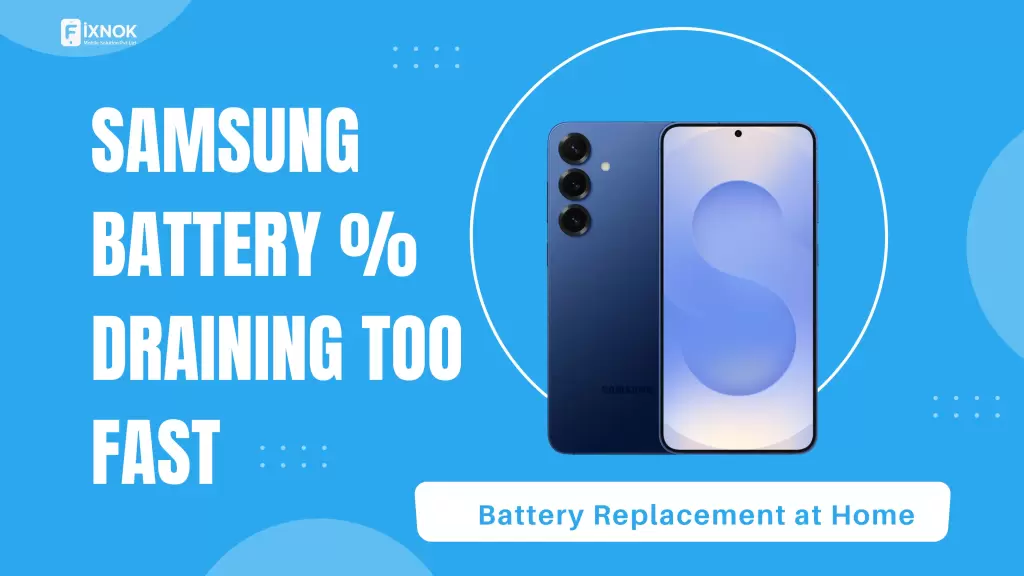
What Is Samsung Battery Draining Problem?
The Samsung Battery Draining problem refers to a condition where your Samsung smartphone loses battery power faster than normal. Instead of lasting a full day, the battery drains within a few hours or even minutes.
This issue can occur in both new and old Samsung phones, including Galaxy A, S, M, and Note series.
Common Symptoms of Samsung Battery Draining Problem
If you notice any of the following signs, your phone is likely suffering from a Samsung Battery Draining problem:
- Battery drops from 100% to 50% very quickly
- Phone heats up while charging or idle
- Battery drains overnight without usage
- Phone shuts down suddenly at 20–30%
- Charging speed becomes unusually slow
- Battery percentage jumps up or down
Ignoring these symptoms can lead to complete battery failure.
Main Causes of Samsung Battery Draining Problem
Understanding the root cause helps you decide whether the issue can be fixed through settings or requires battery replacement.
1. Aging Battery (Most Common Cause)
Lithium-ion batteries degrade over time. After 12–24 months, battery capacity reduces significantly.
✔️ If your phone is more than 1.5 years old, the Samsung Battery Draining problem is usually due to battery wear.
2. Background Apps Consuming Power
Many apps run continuously in the background:
- Social media apps
- Location-based apps
- Fitness & tracking apps
- Games
These apps silently drain battery even when the screen is off.
3. Software Updates & Bugs
Sometimes, new Android or One UI updates are not fully optimized, leading to:
- High CPU usage
- Battery drain in idle state
- Increased background activity
This is a hidden but common Samsung Battery Draining problem.
4. Screen Brightness & Display Settings
Samsung displays are powerful but battery-hungry:
- High brightness
- Always-on display
- High refresh rate (90Hz / 120Hz)
These features reduce battery backup drastically.
5. Poor Charging Habits
Wrong charging habits cause long-term battery damage:
- Using cheap chargers
- Overnight charging daily
- Charging above 100% frequently
- Letting battery drop to 0% often
These habits worsen the Samsung Battery Draining problem over time.
6. Overheating Issues
Heat is the biggest enemy of batteries. Overheating may occur due to:
- Heavy gaming
- Charging while using the phone
- Hot environment
Overheating accelerates battery degradation.
How to Fix Samsung Battery Draining Problem (Temporary Solutions)
Before replacing the battery, try these practical fixes:
Optimize Battery Usage
- Enable Battery Saver Mode
- Turn off Always-On Display
- Reduce screen brightness
- Switch to 60Hz refresh rate
Control Background Apps
- Go to Settings → Battery → Background Usage
- Restrict unused apps
- Disable auto-sync for unnecessary apps
Update Software Carefully
- Keep apps updated
- Avoid beta software
- Restart phone after updates
Check Battery Health
Samsung phones don’t show battery health clearly, but if:
- Phone drains fast after full charge
- Battery backup is inconsistent
👉 Battery replacement is the best solution.
When Samsung Battery Replacement Is the Only Solution
You should replace your battery if:
- Phone battery lasts less than 3–4 hours
- Phone shuts down randomly
- Battery swelling is visible
- Phone heats up abnormally
- Charging reaches 100% too fast
At this stage, software fixes won’t solve the Samsung Battery Draining problem.
Why Battery Replacement at Home Is the Best Option
Instead of visiting a service center, battery replacement at home is safer, faster, and more transparent.
Benefits of At-Home Battery Replacement
✔️ No need to travel
✔️ Repair done in front of you
✔️ Genuine battery used
✔️ No data loss
✔️ Saves time & money
✔️ Same-day service
This is ideal for working professionals, students, and elderly users.
Samsung Battery Replacement Process at Home
Here’s how professional doorstep battery replacement works:
- Book service online or via call
- Technician arrives at your location
- Phone is inspected in front of you
- Old battery removed safely
- New battery installed
- Phone tested for performance
- Payment after satisfaction
The entire process usually takes 30–45 minutes.
How a New Battery Solves Samsung Battery Draining Problem
After battery replacement, you’ll notice:
- Full-day battery backup
- No sudden shutdowns
- Reduced heating
- Stable battery percentage
- Faster and safer charging
A fresh battery restores your phone’s original performance.
Tips to Avoid Samsung Battery Draining Problem in Future
Once you replace your battery, follow these tips:
- Use original or certified chargers
- Avoid overnight charging
- Keep battery between 20%–80%
- Don’t use phone while charging
- Avoid excessive heat exposure
These habits increase battery lifespan significantly.
Frequently Asked Questions (FAQs)
Q1. Is Samsung Battery Draining problem normal?
Yes, battery degradation is natural after long-term use.
Q2. Can software update fix battery drain?
Only minor drain issues. Severe drain needs battery replacement.
Q3. Is battery replacement safe at home?
Yes, when done by trained technicians using proper tools.
Q4. Will battery replacement erase data?
No, your data remains completely safe.
🔹 Advanced Technical Reasons Behind Samsung Battery Draining Problem
In many cases, the Samsung battery draining problem is not caused by visible usage patterns but by internal technical factors. These issues often remain unnoticed by users until battery performance drops significantly.
One major factor is battery voltage instability. As a lithium-ion battery ages, it struggles to maintain consistent voltage output. This leads to faster battery percentage drops, even when the phone is idle.
Another hidden reason is CPU wake locks, where certain system processes prevent the phone from entering deep sleep mode. As a result, power continues to drain in the background without any user activity.
Additionally, network signal fluctuation plays a role. When your Samsung phone constantly switches between weak signals (4G/5G/Wi-Fi), it consumes more power trying to maintain connectivity.
🔹 Samsung Battery Draining Problem Due to Network & Connectivity
Poor network conditions are a major contributor to battery drain. Many users overlook this factor completely.
Situations that increase battery consumption:
- Weak mobile network coverage
- Constant switching between Wi-Fi and mobile data
- Bluetooth or hotspot left enabled
- Searching for 5G signals in low-coverage areas
When the phone struggles to stay connected, it increases transmission power, leading to faster battery drain. This issue is more noticeable while traveling or in indoor locations with poor signal strength.
🔹 Impact of Gaming & Heavy Usage on Samsung Battery Life
High-performance games and resource-intensive applications put immense pressure on both the processor and the battery.
Extended gaming sessions cause:
- Rapid battery drain
- Excessive heat generation
- Faster battery aging
- Reduced charging efficiency
Even after closing the game, background services may continue running, silently consuming power. Over time, this usage pattern accelerates battery wear and worsens the Samsung battery draining problem.
🔹 How Fast Charging Affects Long-Term Battery Health
Fast charging is convenient, but repeated fast charging generates heat, which slowly impacts battery health.
Although Samsung phones are designed with temperature control mechanisms, frequent fast charging:
- Raises internal temperature
- Increases chemical stress on battery cells
- Reduces long-term battery capacity
This does not mean fast charging should be avoided completely, but balanced usage is recommended.
🔹 Why Battery Calibration Doesn’t Fix Samsung Battery Draining Problem
Many users try battery calibration apps or manual calibration methods, expecting permanent improvement.
In reality:
- Calibration only corrects battery percentage display
- It does not restore lost battery capacity
- It cannot fix chemical degradation
If your phone drains rapidly even after calibration, it indicates physical battery wear rather than a software issue.
🔹 Samsung Battery Draining Problem in New Phones: Why It Happens
Even new Samsung phones can experience battery drain due to:
- Initial software optimization phase
- Heavy background sync after setup
- App downloads and updates
- Learning usage patterns
This type of battery drain usually stabilizes within a few weeks. If it doesn’t, further diagnosis is required.
🔹 Why Delaying Battery Replacement Can Damage Your Phone
Continuing to use a degraded battery can lead to long-term damage, including:
- Charging IC stress
- Motherboard overheating
- Swollen battery pressure on internal components
- Unexpected shutdowns during updates
Timely battery replacement prevents these risks and extends the overall lifespan of your Samsung device.
🔹 Safety Risks Associated with a Failing Samsung Battery
A severely degraded battery is not just inconvenient — it can be unsafe.
Potential risks include:
- Battery swelling
- Leakage
- Overheating
- Sudden power failure
- Fire hazard in extreme cases
If you notice physical bulging or excessive heat, stop using the device and replace the battery immediately.
🔹 Environmental Factors That Worsen Samsung Battery Draining Problem
Environmental conditions significantly affect battery performance.
Battery drains faster in:
- High temperatures
- Direct sunlight
- Cold environments
- Humid conditions
Extreme temperatures cause stress on battery chemistry, reducing efficiency and lifespan.
🔹 How Professional Diagnosis Helps Identify Battery Issues Accurately
Professional technicians use specialized tools to:
- Measure battery voltage
- Check charge cycles
- Detect internal resistance
- Identify abnormal power consumption
This accurate diagnosis helps confirm whether the issue is battery-related or caused by another component.
🔹 Why DIY Battery Replacement Is Not Recommended
Modern Samsung smartphones are tightly sealed and require precision tools.
DIY replacement risks:
- Screen damage
- Connector breakage
- Battery puncture
- Data loss
- Safety hazards
Professional replacement ensures safe installation and proper battery calibration.
🔹 Long-Term Benefits of Replacing Battery Instead of Changing Phone
Many users consider buying a new phone due to battery drain. However, battery replacement offers:
- Significant cost savings
- Environmental benefits
- Restored performance
- Extended device lifespan
Replacing the battery is a practical and sustainable choice.
🔹 How Battery Replacement Improves Overall Phone Performance
After battery replacement, users often report:
- Faster app loading
- Stable performance
- Reduced lag
- Improved thermal management
This happens because a healthy battery supplies consistent power to the processor.
🔹 Frequently Overlooked Causes of Samsung Battery Drain
Some lesser-known factors include:
- Corrupted system cache
- Faulty accessories
- Poor-quality cables
- Unoptimized widgets
- Constant vibration usage
These small factors collectively contribute to battery loss.
🔹 Final Add-On Conclusion (Can Be Appended)
The Samsung battery draining problem is not always obvious, but it gradually affects performance, safety, and daily usability. While basic optimization can help initially, battery replacement becomes essential once physical degradation sets in.
Adding these insights to your existing content strengthens user understanding, improves dwell time, and enhances SEO depth — helping your page rank better while building trust with visitors.
🔹 Why Ignoring Samsung Battery Draining Problem Affects Daily Life
A Samsung battery draining problem does not just reduce screen time — it slowly disrupts everyday activities. From missing important calls to depending constantly on a charger or power bank, battery issues create daily inconvenience.
Many users adjust their routine around battery life:
- Carrying chargers everywhere
- Avoiding outdoor usage
- Reducing phone usage unnecessarily
These adjustments indicate it is time for a permanent solution rather than temporary fixes.
🔹 Business, Students & Professionals Suffer Most From Battery Drain
Battery problems impact different users in different ways:
Working Professionals
- Miss important client calls
- Unable to use navigation during travel
- Interruptions during meetings
Students
- Online classes disrupted
- Exam-related stress
- Learning apps fail during use
Business Owners
- Payment apps stop working
- Delivery coordination becomes difficult
- Customer communication breaks down
A reliable battery is essential in today’s mobile-dependent lifestyle.
🔹 Samsung Battery Draining Problem vs Normal Battery Usage
Many users are unsure whether their battery behavior is normal or problematic.
Normal Battery Usage
- Lasts a full working day
- Slight drain during standby
- Gradual decline over years
Battery Draining Problem
- Rapid drop within hours
- Drains even when idle
- Sudden shutdowns
- Overheating issues
Understanding this difference helps in timely action.
🔹 Why Power Banks Are Not a Real Solution
Power banks provide temporary relief but create dependency.
Problems with power bank reliance:
- Constant charging cycles
- More heat generation
- Faster battery degradation
- Reduced phone mobility
Instead of carrying extra accessories, restoring battery health solves the core issue.
🔹 How Doorstep Battery Replacement Saves Time & Effort
Visiting a service center often involves:
- Long queues
- Travel expenses
- Uncertain timelines
- Multiple visits
With battery replacement at home, everything happens at your convenience.
✔ Technician visits your location
✔ Repair done in front of you
✔ No waiting or travel
✔ Transparent process
🔹 What Makes Professional Battery Replacement Trustworthy
A professional service ensures:
- Proper battery compatibility
- Correct voltage and capacity
- Safe installation
- Post-repair testing
- Warranty assurance (where applicable)
This level of reliability is difficult to achieve through unverified local repairs.
🔹 Samsung Battery Draining Problem in Different Samsung Models
Battery drain can occur across various Samsung series:
- Galaxy A series (A14, A23, A34, etc.)
- Galaxy M series
- Galaxy S series
- Galaxy Note series
The cause may differ slightly, but the solution often leads to battery replacement once the device ages.
🔹 Signs You Should Book Battery Replacement Immediately
Do not delay replacement if you notice:
- Phone shuts down below 30%
- Battery drains within 2–3 hours
- Phone becomes hot during basic use
- Battery swelling or screen lifting
- Charging speed becomes abnormal
These signs indicate the battery is no longer safe or reliable.
🔹 Safety & Data Protection During Battery Replacement
Many users worry about data safety. Battery replacement:
- Does NOT erase data
- Does NOT affect apps or photos
- Does NOT reset phone
Professional technicians follow safe procedures to ensure zero data loss.
🔹 Environmental Benefits of Battery Replacement
Replacing only the battery instead of the full phone:
- Reduces electronic waste
- Lowers environmental impact
- Supports sustainable usage
It is an eco-friendly and responsible choice.
🔹 Why Battery Replacement Is More Cost-Effective Than Buying a New Phone
A new smartphone costs significantly more than a battery replacement.
Battery replacement offers:
- 80–90% performance restoration
- Much lower cost
- Extended device lifespan
- No learning curve of new phone
This makes battery replacement a smart financial decision.
🔹 Post-Replacement Experience: What Users Commonly Notice
After replacement, users often report:
- Full-day battery backup
- Stable battery percentage
- Reduced phone heating
- Improved overall performance
- Peace of mind
This transformation makes the phone usable again without limitations.
🔹 How to Book Samsung Battery Replacement Easily
Booking a battery replacement service is simple:
- Visit the website
- Select Samsung model
- Choose battery issue
- Confirm your location
- Schedule service
A technician arrives at your preferred time.
🔹 Call to Action: Get Your Samsung Battery Replaced Today
🔋 Facing Samsung Battery Draining Problem?
Don’t let low battery slow down your day.
🏠 Get Samsung Battery Replacement at Home
✔ Same-Day Service
✔ Genuine Battery
✔ No Data Loss
✔ Repair Done in Front of You
🌐 Book Online Now:
👉 https://www.fixnok.com
📞 Call / WhatsApp: 9015641064
🔹 Final Conversion-Focused Note (Append This at End)
A Samsung battery draining problem rarely fixes itself. Delaying action only increases inconvenience and risks further damage. Choosing timely battery replacement at home restores performance, improves safety, and saves both time and money.
If your phone no longer lasts through the day, now is the right time to act.
📞 Book your Samsung battery replacement today – Call 9015641064
Conclusion: Permanent Solution for Samsung Battery Draining Problem
A Samsung Battery Draining problem can disrupt your daily life, but the solution is simple if addressed on time. While temporary fixes may help initially, battery replacement at home is the most reliable and long-term solution once the battery ages.
Instead of struggling with low battery, heating issues, and sudden shutdowns, restore your phone’s performance with a new battery—without leaving your home.