An Apple Watch is one of the most advanced smart devices ever created — a powerful combination of fitness tracking, health monitoring, productivity tools, and real-time connectivity. For many users, an Apple Watch isn’t just an accessory; it’s an essential part of their daily routine. Whether it’s keeping track of heart rate, monitoring ECG, receiving notifications, checking messages, navigating through maps, unlocking your Mac, or using Apple Pay — the watch does it all with ease.
But all of these features depend heavily on one single component: the display.
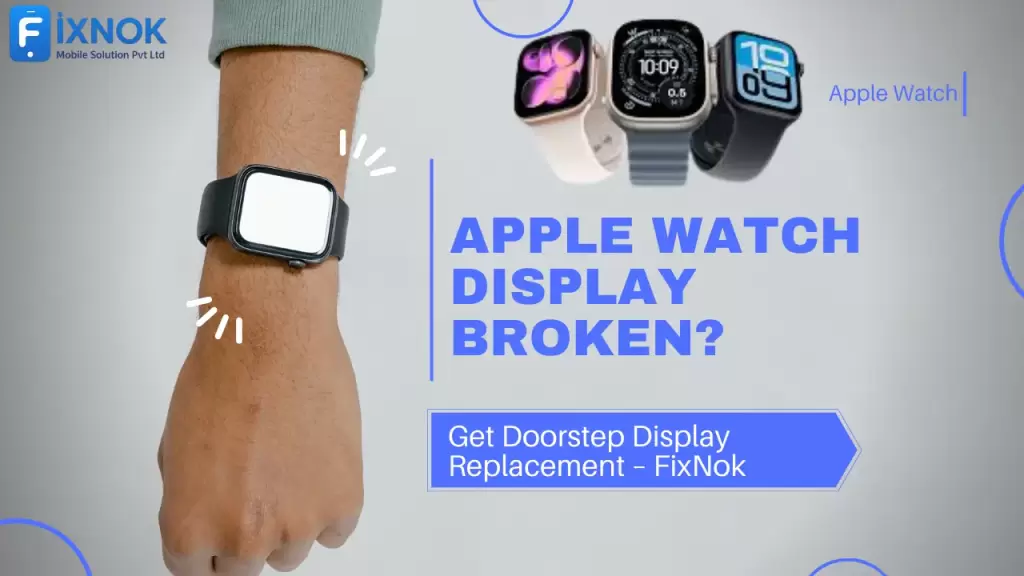
If the Apple Watch display is broken, cracked, blacked out, flickering, or the touch stops responding, the device becomes nearly impossible to use. Even a small crack can cause major inconvenience because of how compact and delicate the internal components are. And as the watch continues to be used with a cracked screen, the damage spreads further — affecting touch layers, OLED segments, display connectors, water resistance, and even internal circuits.
Because of this, Apple Watch display replacement must be done with precision, the right tools, and safe methods. And this is exactly where FixNok provides the best possible solution. With doorstep Apple Watch repair, FixNok brings expert technicians directly to your home to replace the Apple Watch display safely, professionally, and quickly — without you needing to visit a store or service center.
In this long, detailed guide, you will learn everything about Apple Watch display damage, repair options, safety, cost, models supported, what to avoid, and why FixNok is the most reliable choice for doorstep Apple Watch screen replacement.
Let’s begin.
📌 1. Why Apple Watch Displays Break More Easily Than Expected
Apple Watches are built with premium materials — Ion-X glass, Sapphire crystal (on Steel/Ultra models), aluminum, stainless steel, and ceramic back panels. But despite the high-quality build, the display remains vulnerable to damage for several reasons:
You Can See Our Works Or Customer Satisfactions Just here :
1. Small Screen, Big Exposure
The Apple Watch sits on your wrist — one of the most exposed parts of the body. You may accidentally hit it on:
- Door frames
- Gym equipment
- Car doors
- Furniture edges
- Kitchen slabs
- Metal railings
Even a minor impact may crack the display.
2. Thin Display Assembly
The watch uses an ultra-thin display assembly with:
- OLED panel
- Touch sensor
- Backlight elements
- Connector flex cables
Because the glass and display components are tightly stacked, even slight pressure can cause damage.
3. Fitness & Movement Damage
During workouts, running, cycling, gym training, boxing, or daily movement, the screen is constantly exposed to accidental bumps, sweat, and sudden impact.
4. Temperature Stress
Extreme hot or cold environments cause the adhesive under the display to weaken, leading to:
- Screen lifting
- Display separation
- Touch failure
5. Water & Moisture
Even though Apple Watches have water resistance ratings, a cracked screen makes them vulnerable to moisture seepage.
Once moisture enters, display layers start failing.
📌 2. Types of Apple Watch Display Damage
Not all broken displays look the same. Understanding the type of damage helps in knowing what repair is needed.
✔ A. Cracked Glass (Touch Working)
This is the most common issue. The glass cracks, but the touch works normally.
Although usable, the crack spreads quickly and can affect internal layers.
✔ B. Touch Not Working
If the glass is intact but touch is dead, the touch layer or digitizer flex is damaged.
✔ C. Display Blackout (Phone Vibrates)
If your Apple Watch vibrates or rings but the screen is black:
- Display connector may be damaged
- OLED panel is dead
- Internal circuit failure
✔ D. Colored Lines / Flickering / Patches
This indicates OLED segment damage.
✔ E. Screen Coming Out / Lifted Screen
Adhesive failure or battery swelling can push the display outwards — very dangerous.
✔ F. Half-Screen Not Working
This is caused by internal IC failure.
Every one of these issues requires a full display replacement — and FixNok performs it safely at your home.
📌 3. Why Quick Repair Is Important
Using a broken display for too long can cause:
- Water damage
- Touch failure
- OLED pixel burn
- Internal short circuits
- Complete display death
- Watch overheating
- Loss of waterproofing
- Damage to taptic engine
- More expensive repair later
Fixing early means saving both time and money.
📌 4. Doorstep Apple Watch Display Replacement – How FixNok Works
FixNok has perfected the doorstep repair process to make Apple Watch screen replacement fast, safe, and transparent.
Step 1 – Book Appointment
Call or WhatsApp 9015641064 to schedule a repair.
Step 2 – Technician Arrival
A certified Apple Watch repair specialist arrives with tools and spare parts.
Step 3 – Damage Diagnosis
The technician inspects display, touch, adhesive, frame alignment, and connectors.
Step 4 – Screen Removal
Using controlled temperature equipment and precision tools, the broken display is removed.
Step 5 – Frame Cleaning
Old adhesive, dust, and debris are cleaned from the frame.
Step 6 – New Display Installation
A premium-grade replacement display is installed with strong adhesive.
Step 7 – Testing
The following are checked:
- Touch accuracy
- Brightness
- Display colors
- Force touch (if applicable)
- Water-seal placement
- Flex connectors
- Heart rate sensor accuracy
Step 8 – Warranty Provided
FixNok offers warranty depending on display type.
This entire process takes 20–40 minutes.
📌 5. Why FixNok Is the Best Option for Apple Watch Display Repair
You may find local shops, freelancers, or service centers, but none offer the complete reliability that FixNok provides.
✔ 1. Doorstep Repair
You don’t need to travel or leave the device anywhere.
✔ 2. Data Privacy Guarantee
Your watch never leaves your sight.
✔ 3. Premium-Quality Displays
FixNok uses high-grade panels with excellent durability, clarity, and touch response.
✔ 4. Skilled & Certified Technicians
Apple-experienced professionals handle your repair.
✔ 5. Latest Repair Tools
Advanced opening tools, heating pads, and microscopic inspection equipment used.
✔ 6. Affordable Pricing
Much cheaper than Apple Authorized Service Centers.
✔ 7. Warranty on All Repairs
Peace of mind guaranteed.
✔ 8. Fast & Same-Day Home Service
Most repairs done within 40 minutes.
✔ 9. Support for All Models
Series 1 to Series 9, SE, Ultra & Ultra 2.
📌 6. Apple Watch Models We Repair
Supported Series:
- Series 1
- Series 2
- Series 3
- Series 4
- Series 5
- Series 6
- Series 7
- Series 8
- Series 9
- Apple Watch SE
- Apple Watch Ultra / Ultra 2
Supported Sizes:
- 38mm
- 40mm
- 41mm
- 42mm
- 44mm
- 45mm
- 49mm (Ultra)
No matter your model, FixNok has the right display.
📌 7. Apple Watch Display Replacement Cost (Detailed Breakdown)
Apple Watch display cost depends on:
1. Model
Newer models cost more.
2. Display Size
Larger screens cost slightly higher.
3. Display Type
FixNok offers:
- Standard Display – Good quality
- Premium Display – High durability and clarity
- Original Pulled Display – From original Apple units (if available)
For exact pricing:
📞 Call: 9015641064
📌 8. Is Doorstep Repair Safe for Apple Watch?
Yes — absolutely.
✔ You see the full repair
✔ No device handling risk
✔ No part swapping
✔ No long waiting
✔ No repair delays
✔ Your data stays safe
FixNok technicians follow strict safety protocols.
📌 9. Common Mistakes to Avoid With a Broken Display
Never do the following:
❌ Pressing the cracked display
It worsens breakage.
❌ Wearing the watch during gym
Sweat and pressure damage the internals.
❌ Trying to remove the glass at home
Extremely risky for the OLED layer.
❌ Letting moisture enter the cracks
Can damage internal sensors.
❌ Delaying repair
Cracks expand, touch fails.
📌 10. How Long Does Apple Watch Display Last After Replacement?
With premium display and proper installation:
- Touch response remains smooth
- Brightness and color accuracy remain stable
- Waterproofing is maintained (depending on condition)
- Display lasts 1–3 years easily
FixNok replacements are designed for durability.
📌 11. What to Do After Display Replacement
To increase the life of your new screen:
✔ Use a tempered film
✔ Apply a bumper case
✔ Avoid high-impact activities
✔ Keep away from chemicals
✔ Clean screen regularly
📌 12. Areas Where FixNok Provides Doorstep Service
FixNok covers all major zones:
Noida
Sectors 15, 16, 18, 37, 50, 62, 63, 75, 76, 78
Greater Noida
Noida Extension
Ghaziabad
Indirapuram
Delhi NCR
Wherever you search “Apple Watch repair near me,” FixNok is available.
📌 13. FAQs About Apple Watch Display Replacement
Q1. Can a cracked Apple Watch screen be repaired without replacing the full display?
No. Apple Watch screens are fused units; full replacement is required.
Q2. Will my Apple Watch remain waterproof after repair?
FixNok applies strong adhesive, but waterproofing depends on device condition.
Q3. How long does replacement take?
20–40 minutes.
Q4. Is my data safe?
Yes — repairs happen in front of you.
📌 14. Final Thoughts — Why FixNok Is the Best for Your Apple Watch Display Repair
A broken Apple Watch display can disrupt your day and stop you from tracking important health activities. FixNok solves this problem with doorstep Apple Watch display replacement, expert technicians, high-quality parts, and quick service — all without requiring you to step outside your home.
With guaranteed safety, transparency, and long-lasting screen quality, FixNok is the No.1 choice for Apple Watch repairs in Noida and NCR.
15. Advanced Tips, Deep Technical Insights & Expert Advice for Apple Watch Display Repair
Apple Watch screens are not like phone displays — they are smaller, denser, more sensitive, and packed with layered components. Understanding how these layers work helps Apple Watch users appreciate why professional repair is required instead of DIY attempts. In this extended section, we will explore the technical structure of Apple Watch screens, the science behind touch responsiveness, common failures, repair complexities, and why precise handling is essential.
🧬 15.1 The Technology Behind Apple Watch Displays
Apple Watch uses some of the most advanced display technologies found in compact devices:
1️⃣ OLED Retina Display
Most newer Apple Watches use OLED panels.
Features include:
- Deep blacks
- High brightness
- Minimal power consumption
- Fast pixel response
But OLED panels are extremely thin and sensitive. A small crack can permanently kill entire pixel rows.
2️⃣ Ion-X Glass (Aluminum Models)
Ion-X is lightweight and impact-resistant—but scratches easily.
Cracks can spread quickly because the glass is chemically strengthened, not sapphire-coated.
3️⃣ Sapphire Crystal (Stainless Steel / Ultra Models)
Super scratch-resistant but:
- More brittle
- More expensive to replace
- Harder to open without damaging internals
4️⃣ Laminated Touch Layer
The touch layer is bonded to the display through an adhesive called OCA.
When the display cracks:
- OCA bonding breaks
- Touch stops responding
- Dead zones appear
This is why Apple Watch display replacement is a single-unit job.
🛠️ 15.2 Why DIY Apple Watch Screen Repair Is Extremely Dangerous
Many users search for DIY repair videos, but Apple Watch screens are extremely risky to handle.
Reasons DIY repair fails:
✔ Micro Components
Internal connectors are extremely thin.
One wrong pull → display connector tears → mother board damage.
✔ Heat Sensitivity
You need controlled heat.
Excess heat → OLED burn, sensor damage.
✔ Waterproof Seal
A special adhesive ensures water resistance.
DIY repair breaks seal forever.
✔ Tiny Screws & Flex Cables
A single misplaced screw can break:
- Taptic engine
- Haptic feedback motor
- Sensor array
✔ No Tools
You need:
- Pry tools
- Anti-static setups
- Temperature-controlled heat pad
- Fine tweezers
- Adhesive cutter
This is why DIY attempts often worsen the issue.
📌 15.3 How Professional Technicians Handle Apple Watch Display Repair
FixNok technicians follow a trained, consistent, safe method for every repair.
Step A – Controlled Heating
The display adhesive is loosened using:
- 80–90°C temperature
- Controlled heating pad
Too much heat damages touchscreen IC.
Step B – Micro Separation
Using thin metal picks, technicians slowly separate the broken glass without touching internal circuit areas.
Step C – Connector Safety
There are delicate flex cables under the display.
If a cable snaps → the entire display dies.
Step D – Internal Adhesive Removal
Old adhesive becomes:
- Hard
- Sticky
- Dusty
Technicians clean it with precision tools.
Step E – New Display Bonding
Using liquid adhesive or pre-cut waterproof adhesive tape.
Step F – Final Pressure Fit
Technicians apply uniform pressure so:
- OCA sticks evenly
- No gaps remain
- Dust does not enter
Only trained professionals can maintain this accuracy.
📌 16. Understanding Post-Display Replacement Tests
Even after installation, an Apple Watch must pass multiple functional tests.
✔ 1. Touch Responsiveness
Testing:
- Swipes
- Pinch-to-zoom
- App navigation
✔ 2. Brightness Check
OLED panels must show:
- Uniform brightness
- Color accuracy
- No yellow/blue tints
✔ 3. Pixel Integrity Test
Ensures:
- No dead pixels
- No bleeding
- No lines
✔ 4. Force Touch / Haptic Touch
Force touch on older models, haptic response on new ones.
✔ 5. Water-Resistant Seal Check
Technicians inspect:
- Frame alignment
- Adhesive bonding
✔ 6. Sensor Accuracy
Heart-rate sensor must respond instantly.
ECG detection must work properly.
FixNok technicians complete all these tests during doorstep service.
📌 17. Why Apple Watch Display Repair Cost Seems Higher Than Phones
Apple Watches require special display assemblies where:
✔ The display, touch, and glass are fused
✔ Replacement requires high precision
✔ Parts are expensive due to small-scale production
✔ Devices need more careful handling
✔ Waterproof seal restoration requires extra material
Compared to smartphones, Apple Watch repairs take:
- More time
- More skill
- More tools
This is why the pricing is higher than standard smartphone repairs.
📌 18. Deep Comparison: Apple Authorized Service Center vs FixNok Doorstep Repair
Many users get confused about which option is better. Here’s a detailed comparison:
| Feature | Apple Store | FixNok Doorstep |
|---|---|---|
| Speed | 3–7 days | 20–40 minutes |
| Cost | Very high | Reasonable |
| Data Safety | Device taken away | 100% in front of you |
| Convenience | Visit store | Home service |
| Parts | Original | Premium / OEM / Original Pulled |
| Warranty | Yes | Yes |
| Availability | Limited slots | Same-day |
FixNok provides more convenience at a fraction of the cost.
📌 19. Long-Term Effects of Using a Broken or Cracked Apple Watch Display
Here’s what happens if you delay the repair:
❌ Cracks spread fast
❌ Touch stops working
❌ Display gets moisture
❌ Internal flex cables tear
❌ Battery pressure cracks display further
❌ Sensors lose accuracy
❌ Risk of OLED burn-in
Delaying repair increases the final cost significantly.
📌 20. Waterproofing & Sealing After Repair — The Real Truth
Many users ask:
“Will my Apple Watch remain waterproof after display replacement?”
✔ FixNok Truth-Based Explanation:
Water resistance is not guaranteed after any repair — whether Apple Store, FixNok, or any technician.
However, FixNok restores:
- Adhesive seal
- Frame bonding
- Display fit
This ensures maximum possible resistance, but deep-water swimming is not recommended.
📌 21. How to Protect Your Apple Watch After Display Replacement
To ensure long life:
✔ Use hydrogel or tempered film
✔ Install a bumper case
✔ Avoid dropping
✔ Remove watch before gym if doing heavy workouts
✔ Keep away from sharp objects
✔ Clean regularly
These steps reduce the chance of future cracks by 80%.
📌 22. Environmental Impact: What Happens to Broken Apple Watch Displays?
FixNok responsibly manages e-waste.
✔ Old displays are recycled
✔ Metal and glass components separated
✔ Toxic materials processed safely
✔ Reduces landfill waste
Eco-friendly repair is an important part of modern tech service.
📌 23. How FixNok Ensures Quality Control for Every Apple Watch Display
Before installing, each display passes:
✔ Brightness calibration
✔ Touch test
✔ Frame check
✔ Connector test
✔ Adhesive strength test
✔ Micro-dust inspection
This guarantees long-term reliability.
📌 24. Customer Mistakes That Lead to Frequent Apple Watch Breakage
These mistakes must be avoided:
- Wearing while lifting weights
- Using during construction work
- Using harsh cleaners
- Exposing to extreme temperatures
- Wearing during aggressive sports
- Not applying screen guard
- Too tight strap causing pressure
FixNok guides you to maintain your watch better.
📌 25. Step-by-Step Guide: What Happens During Your FixNok Appointment
📲 Step A: You call 9015641064
🛠 Step B: Technician arrives
🔧 Step C: Quick visual inspection
🧹 Step D: Old screen removal
🖥 Step E: New display installation
📊 Step F: Testing
📄 Step G: Warranty provided
⭐ Step H: Payment & tips for care
Smooth, transparent, and professional.
📌 26. Conclusion — The Smartest Way to Fix a Broken Apple Watch Display
Apple Watch is a premium device that deserves professional care. With FixNok’s doorstep display replacement, you get fast, reliable, and safe repair from certified professionals — without visiting a shop or waiting for days.
A cracked screen limits your watch’s abilities, functionality, and comfort. Delaying repair only increases risk. FixNok offers the perfect modern solution with same-day repair at your convenience.
You can learn more about Apple Watch display replacement on our YouTube channel:
https://www.youtube.com/shorts/3VhQOhA9jvk
📞 Book Your Doorstep Apple Watch Display Replacement
📱 Call / WhatsApp: 9015641064
🌐 www.fixnok.com
FixNok — Your Trusted Doorstep Apple Watch Repair Specialist.