Is your iPad not charging properly? Do you have to adjust the cable again and again to make it charge? Or does the battery percentage go up very slowly even when plugged in? These are all common signs of a damaged or loose charging port. If you are facing such issues, iPad charging port replacement is the most effective and permanent solution.
At FixNok, we provide professional iPad charging port replacement at home, ensuring your device is repaired safely, quickly, and without the hassle of visiting a service center.
Don’t Want To Read Just Click Here And Get Full info With Discount
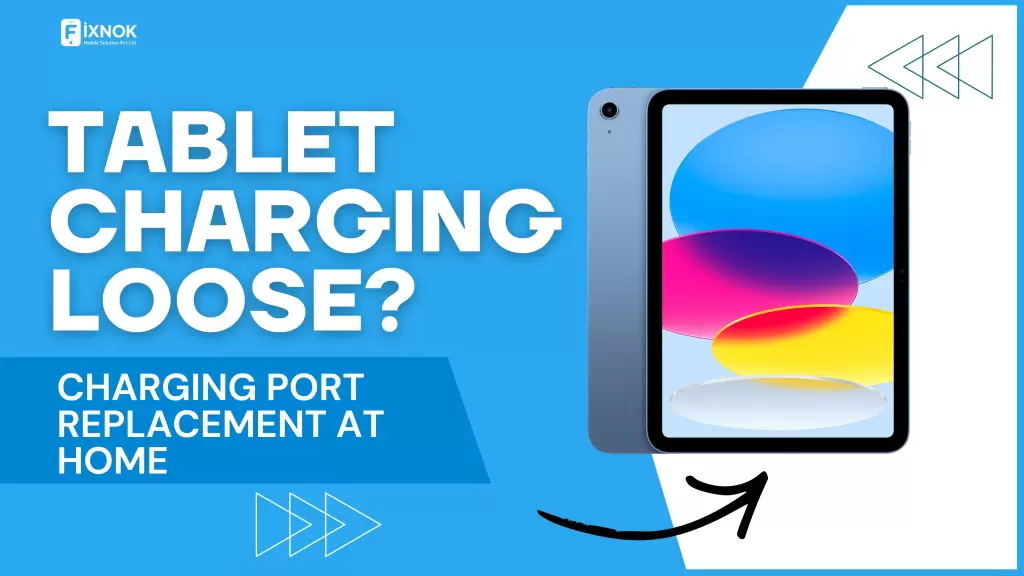
Table of Contents
- Introduction to iPad Charging Port Problems
- What Is an iPad Charging Port?
- Common Signs You Need iPad Charging Port Replacement
- Main Causes of iPad Charging Port Damage
- Why Ignoring Charging Port Issues Is Risky
- iPad Models That Commonly Need Charging Port Replacement
- Professional iPad Charging Port Replacement Process
- Why Choose FixNok for iPad Charging Port Replacement
- Doorstep iPad Charging Port Replacement – How It Works
- Cost of iPad Charging Port Replacement in Noida
- Why DIY Repair Is Not Recommended
- How to Protect Your iPad Charging Port After Replacement
- Frequently Asked Questions (FAQs)
- Final Thoughts + Call to Action
Introduction to iPad Charging Port Problems
The iPad is one of the most powerful and reliable tablets available today. Whether you use it for online classes, business work, entertainment, or gaming, charging issues can disrupt your entire routine. One of the most common hardware problems iPad users face is a loose or damaged charging port.
In most cases, cleaning or changing the cable doesn’t fix the issue. That’s when iPad charging port replacement becomes necessary. A damaged charging port can stop your iPad from charging completely and may even lead to battery or motherboard damage if ignored.
What Is an iPad Charging Port?
The charging port is the small slot at the bottom of your iPad where you connect the charging cable. Depending on the model, it can be:
- Lightning port
- USB-C port
This port transfers power from the charger to the battery and also helps in data transfer. Since it is used daily, it is prone to wear and tear over time.
Common Signs You Need iPad Charging Port Replacement
If you notice any of the following problems, your device likely needs iPad charging port replacement:
- iPad charges only when cable is held at a certain angle
- Charging stops and starts randomly
- iPad not charging at all
- Charging very slowly
- Charger feels loose when plugged in
- “Not Charging” message even with original charger
- Device heats up while charging
These symptoms usually indicate internal pin damage or a loose charging connector.
Main Causes of iPad Charging Port Damage
Understanding the reasons behind charging port failure can help prevent future damage:
1. Frequent Plugging and Unplugging
Daily use causes internal pins to loosen over time.
2. Using Low-Quality Chargers
Cheap or incompatible chargers can damage the port.
3. Dust and Debris Accumulation
Lint and dust inside the port block proper contact.
4. Water or Moisture Exposure
Even small moisture exposure can corrode internal components.
5. Accidental Cable Pull
Sudden pulls while charging can loosen or break the port.
Why Ignoring Charging Port Issues Is Risky
Delaying iPad charging port replacement can lead to:
- Complete charging failure
- Battery damage due to unstable power flow
- Motherboard short circuit
- Data loss due to sudden shutdown
- Higher repair cost later
Early replacement saves money and protects your iPad’s internal components.
iPad Models That Commonly Need Charging Port Replacement
FixNok provides iPad charging port replacement for all major models, including:
- iPad (5th, 6th, 7th, 8th, 9th, 10th Gen)
- iPad Air series
- iPad Mini series
- iPad Pro (all screen sizes)
Whether your iPad uses a Lightning port or USB-C, our technicians handle both with precision.
Professional iPad Charging Port Replacement Process
At FixNok, we follow a safe and structured repair process:
Step 1: Free Inspection
We first inspect the charging issue to confirm whether replacement is required.
Step 2: Safe Device Opening
Your iPad is carefully opened using professional tools to avoid screen damage.
Step 3: Damaged Port Removal
The faulty charging port is removed with micro-soldering techniques.
Step 4: New Charging Port Installation
A high-quality compatible charging port is installed.
Step 5: Testing & Quality Check
Charging speed, cable stability, and power flow are tested.
Step 6: Final Delivery
Your iPad is returned fully functional.
Why Choose FixNok for iPad Charging Port Replacement
Here’s why customers trust FixNok:
- ✔ Doorstep repair at home
- ✔ Experienced technicians
- ✔ High-quality replacement parts
- ✔ Transparent pricing
- ✔ Fast turnaround time
- ✔ Data safety guaranteed
We understand how important your device is, and we treat it with professional care.
Doorstep iPad Charging Port Replacement – How It Works
Getting your iPad charging port replacement at home is simple:
- Call or book service with FixNok
- Choose a convenient time
- Technician visits your location
- Repair done at home
- Pay only after satisfaction
No queues. No travel. No waiting.
Cost of iPad Charging Port Replacement in Noida
The cost of iPad charging port replacement depends on:
- iPad model
- Type of charging port
- Level of internal damage
At FixNok, we offer affordable and transparent pricing with no hidden charges. Contact us for an exact quote.
Why DIY Repair Is Not Recommended
Many online videos suggest cleaning or replacing the charging port yourself. This can be risky because:
- iPads require professional tools
- High chance of screen breakage
- Risk of motherboard damage
- No warranty or guarantee
A professional iPad charging port replacement ensures safety and long-term reliability.
How to Protect Your iPad Charging Port After Replacement
After replacement, follow these tips:
- Use original or certified chargers
- Avoid charging while using the iPad heavily
- Keep the charging port clean
- Do not pull the cable forcefully
- Avoid moisture exposure
These habits can significantly extend the life of your charging port.
Frequently Asked Questions (FAQs)
Q1. How long does iPad charging port replacement take?
Usually between 60–120 minutes, depending on the model.
Q2. Will my data be safe?
Yes, your data remains completely safe during the repair.
Q3. Can charging port be repaired without replacement?
In most cases, replacement is the only reliable solution.
Q4. Do you provide doorstep service in Noida?
Yes, FixNok provides doorstep service across Noida.
Q5. Is charging port replacement permanent?
Yes, when done professionally with quality parts.
iPad Charging Problem? Here’s Everything You Need to Know About Charging Port Issues
The iPad has become an essential device for students, professionals, and families alike. From online classes and office meetings to entertainment and creative work, the iPad handles everything smoothly—until it stops charging properly. One of the most common hardware-related issues users face today is a charging port problem in iPad devices.
When an iPad does not charge consistently, users often assume the charger or cable is faulty. However, in many cases, the real issue lies inside the charging socket itself. Understanding the causes, symptoms, and solutions for iPad charging port issues can help prevent further damage and unnecessary expenses.
Understanding How iPad Charging Works
The charging system of an iPad includes several components working together:
- Charging cable
- Power adapter
- Charging port (Lightning or USB-C)
- Battery
- Power management circuit
If any one of these components fails, charging issues can occur. Among them, the charging port is the most physically stressed part, as it is used daily and exposed to dust, moisture, and physical pressure.
Common Symptoms of iPad Charging Port Issues
Charging port damage does not always happen suddenly. In most cases, the problem develops gradually. Some common signs include:
- iPad charges only when cable is held tightly
- Charging disconnects when the device moves
- Battery percentage increases very slowly
- iPad shows “not charging” message
- Charging cable feels loose in the port
- Device heats up near the charging area
- Charging stops completely after some time
These signs usually indicate internal wear or pin damage inside the charging socket.
Why iPads Commonly Develop Charging Problems
Frequent Daily Usage
Most users charge their iPads at least once a day. Continuous insertion and removal of the charging cable slowly loosens the internal connectors.
Low-Quality or Incompatible Chargers
Using non-certified chargers can send unstable voltage, damaging internal charging pins.
Dust and Lint Accumulation
Small particles settle inside the charging port over time, blocking proper contact between the cable and connector.
Accidental Drops While Charging
Dropping the iPad with the charger connected can bend or break internal charging components.
Moisture and Humidity
Even a small amount of moisture can corrode charging pins and affect power flow.
Difference Between Charging Cable Issue and Port Issue
Many users replace chargers repeatedly before realizing the actual problem is the charging port. Here’s how to differentiate:
| Issue | Likely Cause |
|---|---|
| Charger works on another device | Port issue |
| Multiple chargers fail | Port damage |
| Cable fits loosely | Worn charging socket |
| Charging stops randomly | Internal connector issue |
If multiple chargers fail to work properly, the charging port should be inspected.
Types of Charging Ports Used in iPads
Lightning Port
Used in older and mid-generation iPads. Compact but more prone to wear due to exposed pins.
USB-C Port
Used in newer iPad models. Faster charging and data transfer, but still vulnerable to dust and physical damage.
Both types require professional handling if replacement or repair is needed.
iPad Models That Commonly Face Charging Socket Issues
Charging port problems can occur in all iPad models, including:
- Standard iPad series
- iPad Mini
- iPad Air
- iPad Pro
Devices used frequently for work or study are more likely to face charging-related issues due to heavier usage.
What Happens Inside a Damaged Charging Port
Internally, a damaged charging port may have:
- Bent or broken pins
- Loose solder joints
- Burnt connectors
- Corrosion due to moisture
- Detached charging flex
These issues cannot be resolved with cleaning alone and usually require technical repair or replacement.
Why Charging Port Problems Should Not Be Ignored
Ignoring early charging issues can cause long-term damage, such as:
- Battery degradation due to unstable power supply
- Short circuit near charging IC
- Damage to motherboard power lines
- Sudden shutdowns leading to data loss
- Complete power failure
Addressing the problem early reduces repair complexity and cost.
Professional Inspection vs Temporary Fixes
Temporary solutions like adjusting the cable angle or cleaning the port may work briefly, but they do not resolve internal damage. A professional inspection identifies whether the issue is:
- Charging port related
- Battery related
- Power IC related
- Software related
Only after proper diagnosis can a reliable solution be applied.
How Charging Port Replacement Is Performed
A professional repair process generally includes:
- Safe opening of the iPad screen
- Isolation of battery and internal components
- Removal of damaged charging port
- Installation of compatible charging connector
- Secure soldering and alignment
- Testing charging speed and stability
This process requires precision tools and experience.
Time Required for Charging Port Repair
Repair duration depends on:
- iPad model
- Port type
- Internal damage severity
In most cases, charging port replacement can be completed within a few hours when handled by trained technicians.
Is Data Affected During Charging Port Repair?
Charging port repair does not involve storage components. Data remains intact as long as:
- Device is handled properly
- Battery is disconnected safely
- No motherboard damage occurs
Professional repair ensures complete data safety.
Why DIY Charging Port Repair Is Risky
Many online tutorials suggest self-repair, but iPads are not DIY-friendly devices. Risks include:
- Cracked display during opening
- Damaged battery connector
- Short circuit on motherboard
- Improper soldering
- Permanent device failure
Professional tools and experience are essential for safe repair.
Preventive Tips to Avoid Charging Port Damage
After repair, these practices help extend port life:
- Use original or certified chargers
- Avoid charging while gaming or heavy usage
- Keep charging port clean and dry
- Do not force the charging cable
- Avoid bending the cable near the connector
Good charging habits significantly reduce future issues.
Environmental Factors Affecting Charging Ports
Environmental conditions also impact charging port health:
- Dusty environments increase blockage risk
- High humidity accelerates corrosion
- Heat weakens solder joints
- Outdoor usage increases exposure to debris
Proper care helps maintain charging performance.
Charging Issues vs Battery Problems
Sometimes charging issues are confused with battery failure. Differences include:
- Battery drains fast but charges normally → Battery issue
- Battery percentage stuck → Charging port or IC issue
- Device powers off while plugged in → Charging instability
Correct diagnosis ensures the right repair approach.
Importance of Using Quality Replacement Parts
Charging port quality affects:
- Charging speed
- Cable stability
- Long-term durability
- Device safety
Low-quality parts may work temporarily but often fail again quickly.
Common Myths About iPad Charging Issues
Myth: Cleaning the port always fixes charging problems
Fact: Cleaning helps only when dust is the cause, not internal damage
Myth: Charging issues are always battery-related
Fact: Charging port damage is more common
Myth: Replacement affects iPad performance
Fact: Proper repair restores normal charging functionality
When Software Troubleshooting Is Not Enough
Software resets help only when charging issues are system-related. If:
- Reset doesn’t help
- Update fails due to low power
- Charging remains unstable
The issue is likely hardware-based.
Long-Term Impact of a Faulty Charging Port
A damaged charging port can gradually affect:
- Battery health
- Power IC
- Internal connectors
- Overall device reliability
Early repair prevents cascading hardware failures.
Charging Port Repair vs Replacement
Minor connector issues may sometimes be repaired, but replacement is preferred when:
- Pins are broken
- Connector is loose
- Charging flex is damaged
- Corrosion is present
Replacement ensures long-term stability.
Safety Measures Followed During Professional Repair
Professional repair involves:
- Anti-static protection
- Temperature-controlled soldering
- Battery isolation
- Precision alignment
- Post-repair testing
These measures protect internal components.
iPad Charging Port Replacement: Complete Guide to Fix Charging Problems
The iPad is one of the most reliable tablets for work, education, and entertainment. However, one common issue that many users face over time is charging-related problems. When an iPad stops charging properly, the most common hardware solution is ipad charging port replacement. A damaged or loose charging port can prevent the device from charging efficiently and may lead to further internal damage if not addressed on time.
Understanding when and why ipad charging port replacement is needed can help users avoid unnecessary frustration and protect their device from long-term damage.
What Is iPad Charging Port Replacement?
iPad charging port replacement is a repair process where the damaged or faulty charging port of the iPad is removed and replaced with a new compatible charging connector. This process is required when the existing charging port becomes loose, damaged, corroded, or stops functioning properly.
The charging port plays a vital role in transferring power from the charger to the battery. When this port is compromised, charging becomes unstable or completely stops.
Common Signs You Need iPad Charging Port Replacement
Several symptoms indicate the need for ipad charging port replacement:
- iPad does not charge at all
- Charging works only when the cable is adjusted
- Charging cable feels loose inside the port
- Charging disconnects frequently
- iPad charges very slowly
- “Not Charging” message appears
- Device heats up near the charging port
These signs usually worsen over time if the charging port is not replaced.
Main Causes of Charging Port Damage in iPads
Regular Wear and Tear
Daily charging leads to gradual loosening of internal charging pins, making ipad charging port replacement necessary after extended use.
Use of Low-Quality Chargers
Non-certified chargers can damage charging connectors due to inconsistent voltage supply.
Dust and Debris Accumulation
Dust particles block proper contact between the charger and port, leading to charging failure.
Accidental Cable Pulls
Sudden pulling of the charging cable can damage internal solder joints.
Moisture Exposure
Humidity or liquid contact can corrode charging port components.
Why iPad Charging Port Replacement Is Important
Delaying ipad charging port replacement can result in:
- Complete charging failure
- Battery damage due to unstable power
- Damage to power IC
- Motherboard short circuits
- Increased repair costs
Replacing the charging port on time prevents further internal damage.
iPad Models That May Require Charging Port Replacement
iPad charging port replacement applies to all models, including:
- Standard iPad series
- iPad Mini
- iPad Air
- iPad Pro
Both Lightning and USB-C charging ports can develop issues depending on usage.
Difference Between Charging Port Issue and Battery Issue
Many users confuse battery problems with charging port damage. Here’s how they differ:
- iPad not charging → likely charging port issue
- Battery drains quickly but charges normally → battery issue
- Charging stops randomly → loose charging connector
Proper diagnosis ensures correct ipad charging port replacement.
Charging Port Cleaning vs Charging Port Replacement
Cleaning the charging port helps only when dust is the cause. However, ipad charging port replacement is required when:
- Pins are broken or bent
- Charging socket is loose
- Internal connector is burnt
- Corrosion is present
Replacement provides a long-term solution.
How iPad Charging Port Replacement Is Performed
The ipad charging port replacement process involves:
- Opening the iPad safely
- Disconnecting the battery
- Removing the damaged charging port
- Installing a compatible replacement port
- Precision soldering
- Testing charging speed and stability
This process requires professional tools and expertise.
Time Required for iPad Charging Port Replacement
The duration of ipad charging port replacement depends on:
- iPad model
- Type of charging port
- Internal damage severity
Most replacements are completed within a few hours.
Is Data Safe During iPad Charging Port Replacement?
Yes, ipad charging port replacement does not affect internal storage. Data remains safe when the repair is done correctly and professionally.
Why DIY iPad Charging Port Replacement Is Risky
Attempting ipad charging port replacement at home can lead to:
- Screen damage
- Battery connector issues
- Motherboard short circuits
- Permanent device failure
Professional handling ensures device safety.
Charging Port Replacement vs Charging Port Repair
Minor issues may sometimes be repaired, but ipad charging port replacement is recommended when:
- Charging socket is loose
- Pins are damaged
- Charging flex cable is worn
- Corrosion is detected
Replacement offers better reliability than repair.
Preventing Future Charging Port Damage
After ipad charging port replacement, users should:
- Use original or certified chargers
- Avoid bending the charging cable
- Keep the charging port clean
- Avoid charging in dusty environments
- Handle the charging cable gently
These steps help extend the lifespan of the new charging port.
Environmental Factors Affecting Charging Ports
Environmental conditions such as dust, humidity, and heat can accelerate the need for ipad charging port replacement. Proper storage and careful usage reduce environmental impact.
Common Myths About iPad Charging Port Replacement
Myth: Charging problems are always battery-related
Fact: Charging port damage is more common
Myth: Cleaning fixes all charging issues
Fact: Internal damage requires ipad charging port replacement
Myth: Replacement reduces performance
Fact: Proper replacement restores normal charging
When Software Fixes Don’t Help
If resetting, updating, or restoring the iPad does not resolve charging issues, the problem is likely hardware-related and requires ipad charging port replacement.
Long-Term Risks of a Damaged Charging Port
Ignoring the need for ipad charging port replacement can result in:
- Battery degradation
- Power IC failure
- Motherboard damage
- Total device shutdown
Early replacement helps avoid these risks.
Final Thoughts
A faulty charging port can turn your powerful iPad into a useless device. Instead of struggling with charging cables or risking further damage, opt for a professional iPad charging port replacement. With FixNok’s doorstep service, you get expert repair, convenience, and peace of mind—all at your home.
📞 Call to Action – Book Your iPad Charging Port Replacement Today
Is your iPad charging loose or not charging at all?
Don’t wait for the problem to get worse.
👉 Book professional iPad charging port replacement at home with FixNok
📍 Service Available in Noida
📞 Call Now: 9015641064
🌐 Visit our website to book instantly
FixNok – Fast, Trusted & Doorstep Tablet Repair Solutions