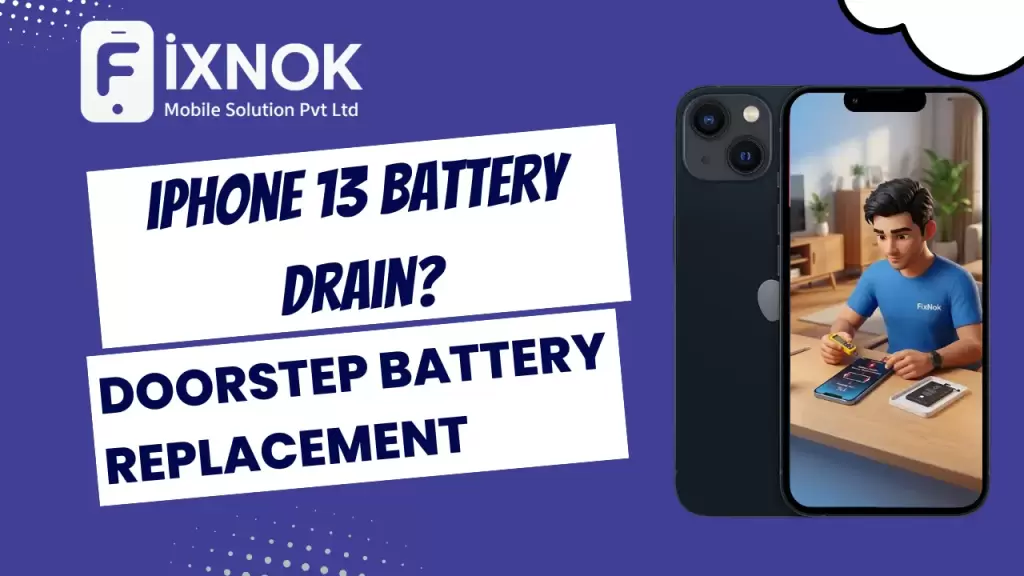
The iPhone 13 is one of Apple’s most popular models, known for its excellent performance, efficient A15 Bionic chip, and improved battery life. But over time, many users begin experiencing battery drain, rapid percentage drops, overheating, slow charging, or sudden shutdowns. Even if the iPhone 13 battery was originally strong, natural wear, usage patterns, and charging habits eventually cause it to weaken.
check this offer: https://share.google/nR9gBVp52gLfW3UU5
This is where FixNok’s doorstep iPhone 13 battery replacement service becomes the perfect solution. You don’t need to visit a shop, stand in a queue, or leave your phone for hours. FixNok provides safe, fast, and professional battery replacement at your home, restoring the device’s battery life to its full potential.
1. Battery Health Degradation in Modern Smartphones
1.1 Why Lithium-Ion Batteries Lose Efficiency
- Natural chemical aging over time
- Charge cycle limitations
- Heat exposure during daily use
- Background running apps increasing load
1.2 Common Signs of Battery Aging
- Rapid percentage drops
- Unexpected shutdowns
- Slow charging experience
- Heating even during light usage
- Reduced on-screen time
1.3 Lifestyle Factors That Impact Daily Battery Life
- High brightness usage
- Constant mobile data or 5G connectivity
- Location tracking and GPS navigation
- Social media apps running in the background
- Using non-certified chargers
2. Device Performance Issues Caused by Battery Damage
2.1 Slower System Performance
- CPU throttling activated for safety
- Sudden lag in animations
- App loading delays
- Background process limitation
2.2 Heating Problems
- Overheating during calls
- Heat spikes while gaming
- Heating while using the camera
- Heating while charging
2.3 Power-Related System Errors
- Inconsistent percentage reading
- Battery stuck at a certain level
- Random reboots during multitasking
- Dropping from 20% to 1% instantly
3. When Battery Replacement Becomes Necessary
3.1 Threshold Battery Health Percentage
- Health below 80%
- System prompting service message
- Peak performance disabled
3.2 Situations That Demand Immediate Replacement
- Device turning off around 15–20%
- Swollen battery warning
- Abnormal back panel bulge
- Charger heating excessively
3.3 Long-Term Damage That Can Occur If Ignored
- Motherboard voltage instability
- Display brightness fluctuations
- Charging port resistance changes
- Permanent capacity loss
4. Benefits of Choosing Professional Battery Replacement
4.1 Restores Original Performance Levels
- Improved app launch speed
- Better multitasking
- More stable CPU behavior
- Smooth scrolling and navigation
4.2 Longer Screen-On Time
- Extended daily usage
- Consistent battery consumption
- Reliable percentage readings
4.3 Improved Device Safety
- Protection from overheating
- Reduced voltage spikes
- Lower risk of internal component damage
5. Why Doorstep Battery Replacement Is Safer
5.1 Zero Data Risk
- No need to submit device
- All processes visible
- No third-party handling
5.2 Faster Turnaround Time
- Entire replacement done in minutes
- No waiting queues
- No device collection delays
5.3 Transparent Process
- Customer sees every step
- Original part quality verification
- Instant post-repair testing
6. Steps Performed During a Battery Replacement
6.1 Pre-Check Process
- External physical inspection
- Battery drain pattern evaluation
- Charging port testing
- Backup & safety verification
6.2 Battery Replacement Procedure
- Professional device opening
- Removal of damaged battery
- Cleaning internal contacts
- Installation of high-grade replacement
- Resealing with proper adhesive
6.3 Post-Replacement Testing
- Checking charging speed
- Measuring temperature stability
- Screen brightness testing
- Sensor & speaker verification
- Final battery calibration
7. Safety Standards Followed During Replacement
7.1 Use of Professional Tools
- Anti-static mats
- Precision opening tools
- Heat insulation sheets
- Battery-safe extraction strips
7.2 Quality Standards for Replacement Parts
- OEM-grade cells
- Voltage stability testing
- Proper capacity rating
- Strict compatibility check
7.3 Environmental Safety Measures
- Safe disposal of old battery
- No chemical leakage
- Secure packaging standards
8. How Proper Battery Replacement Improves Device Lifespan
8.1 Better Power Management
- Smooth background processing
- Balanced performance mode
- Temperature regulation
8.2 Reduced Motherboard Stress
- Stable voltage flow
- Minimal short-circuit risk
- Better charging efficiency
8.3 Long-Term Savings
- Avoids motherboard repairs
- Prevents display burnouts
- Enhances daily usability
9. Tips to Maximize Battery Life After Replacement
9.1 Charging Best Practices
- Avoiding overnight charging
- Using certified fast chargers
- Maintaining mid-range charging levels (20–80%)
9.2 Usage Habits That Improve Battery Health
- Reducing screen brightness
- Turning off unused connectivity
- Limiting background app refresh
9.3 Maintenance Recommendations
- Avoid high-temperature environments
- Keep software updated
- Clean charging port regularly
10. Misconceptions About Smartphone Batteries
10.1 Myth: Closing Apps Saves Battery
- Actually increases load
- System re-launches apps automatically
10.2 Myth: Only Old Devices Need Battery Changes
- Modern devices also face degradation
- Heavy apps cause rapid wear
10.3 Myth: Fast Charging Damages the Device
- Safe when using certified chargers
11. Warning Signs That Should Not Be Ignored
11.1 Physical Indicators
- Bulging back panel
- Loose display edges
- Burning smell
11.2 Performance Indicators
- Frozen touch
- Battery draining during calls
- Unresponsive power button
11.3 Charging Indicators
- Stuck at 1%
- Slow charging even with original charger
- Charging drops when touched or moved
12. Long-Term Issues Caused by Poor-Quality Battery Replacement
12.1 Safety Hazards
- Risk of swelling
- Overheating
- Internal damage
12.2 Functional Problems
- Touch sensitivity issues
- Display flickers
- Random reboots
12.3 Durability Concerns
- Battery lasts only weeks
- Weak performance under load
- System throttles frequently
13. How Professional Replacement Adds Value to the Device
13.1 Improved Resale Value
- Better battery performance attracts buyers
- Reliable condition increases demand
13.2 Enhanced Daily Experience
- Smooth navigation
- Longer video & gaming time
- More stable connectivity
13.3 More Reliable Charging Patterns
- No fluctuations
- No battery overheating
- Fast charging works normally
14. Final Checklist After Battery Replacement
14.1 Functional Tests
- Speaker
- Camera
- Sensor
- Vibration
- Touch response
14.2 Battery Monitoring Steps
- Ensure stable discharge
- Check temperature during use
- Confirm fast charging
14.3 Usage Setup
- Enable battery optimization
- Update apps
- Restart after few hours
Topic 1 — Understanding Why iPhone 13 Batteries Start Draining Quickly
Battery drain happens gradually, and most users fail to notice the early signs. Here are the most common reasons:
1. Natural Battery Cycle Aging
Every iPhone battery is designed for around 500–800 charge cycles. After this, the battery capacity dips below 80%.
2. Heavy Multi-Tasking & Background Apps
Apps running in the background constantly drain power.
3. Charging with Non-MFi Accessories
Cheap chargers damage the battery health faster.
4. System Updates Affecting Power Management
Certain iOS updates temporarily consume extra power.
5. Worn-Out Battery Chemicals
Over time, lithium-ion chemistry weakens, causing rapid drain.
6. High Screen Brightness & 5G Usage
The iPhone 13 display and 5G antenna consume significant power.
No matter the cause, the permanent fix is iPhone 13 battery replacement.
Topic 2 — Signs You Need iPhone 13 Battery Replacement Immediately
You likely need battery replacement if you notice:
• 1. Fast Battery Percentage Drop
From 80% to 50% within minutes.
• 2. Sudden Shutdowns
Phone turns off around 20–30%.
• 3. Overheating During Normal Use
Battery struggles to supply consistent power.
• 4. Slow Charging or Stuck Percentage
Charging percentage freezes or increases slowly.
• 5. Battery Health Below 80%
iPhone displays: “Service Recommended.”
• 6. Rapid Drain While Using Camera or Games
These power-heavy tasks expose battery weakness.
If these symptoms appear, your device requires iPhone 13 battery replacement without delay.
Topic 3 — Why Doorstep iPhone 13 Battery Replacement Is Safer & Better
Traditional stores require you to:
❌ Travel
❌ Wait for hours
❌ Risk data access
❌ Leave your device behind
FixNok solves this by offering:
✔ Fast doorstep service
✔ Replacement in 10–20 minutes
✔ Done in front of you
✔ No data access
✔ OEM-grade premium battery
✔ Expert technicians
This makes doorstep replacement the safest, fastest, and most convenient option.
Topic 4 — How FixNok Performs iPhone 13 Battery Replacement (Step-by-Step)
Step 1 — Booking the Service
Through call (9015641064) or website.
Step 2 — Technician Arrives at Your Doorstep
Fully equipped with tools and sealed OEM-grade iPhone 13 battery.
Step 3 — Device Inspection
Technician checks:
- Battery health
- Charging port
- Battery swelling
- Software battery calibration issues
Step 4 — Safe Device Opening
Using heat separation tools & anti-static equipment.
Step 5 — Removing Old Battery
Carefully detached without damaging internal parts.
Step 6 — Installing New OEM Battery
FixNok uses only premium batteries with:
- Accurate capacity
- Fast charging
- Long cycle life
Step 7 — Re-Sealing & Testing
Testing brightness, touch, performance, temperature & charging speed.
The whole process takes 10–20 minutes, and your iPhone behaves like brand new again.
Topic 5 — Benefits of Fresh iPhone 13 Battery Replacement
Replacing the battery brings immediate performance improvement:
✔ Longer screen-on time
✔ Faster charging
✔ Smooth camera operations
✔ Better gaming performance
✔ No sudden shutdowns
✔ No overheating
✔ Extended device life
✔ Improved battery health to 100%
It feels like upgrading your phone without buying a new one.
Topic 6 — Why FixNok Is the Best Choice for iPhone 13 Battery Services
FixNok has become a trusted name in Noida & Greater Noida West.
✔ Doorstep repair
✔ Premium OEM batteries only
✔ No data access
✔ Warranty on battery
✔ Trained, verified technicians
✔ Same-day service available
✔ Specialists in premium devices
Other shops may offer low-quality batteries, but FixNok provides safe, original-grade replacements that last.
Topic 7 — Battery Replacement vs. Buying a New Phone
A new phone can cost ₹70,000+, but a battery replacement costs much less and restores full performance.
Battery Replacement Helps When:
- Battery health below 80%
- Your device still runs fast
- You want to save money
Buying a New Phone Makes Sense Only If:
- Device has multiple hardware failures
- Screen + battery + motherboard issues
For 90% of users, iPhone 13 battery replacement is the smarter choice.
Topic 8 — How Long Does an iPhone 13 Battery Last After Replacement?
FixNok’s OEM-grade batteries last:
✔ 2–3 years
✔ 500–800 charge cycles
✔ Stable performance
✔ No swelling or overheating
With proper care, users enjoy nearly original battery life.
Topic 9 — Tips to Maintain Battery Health After Replacement
Follow these tips:
✔ Keep brightness below 70%
✔ Avoid overnight charging
✔ Use original or MFi-certified chargers
✔ Avoid phone usage while charging
✔ Don’t expose phone to heat
✔ Update iOS regularly
These habits help maintain excellent battery health.
Topic 10 — Locations Where FixNok Offers iPhone 13 Battery Replacement
FixNok covers:
- Noida
- Sector 18
- Sector 62
- Sector 76
- Sector 137
- Noida Expressway
- Greater Noida West
- Gaur City 1
- Gaur City 2
- Gaur City Center
- Techzone 4
- All nearby societies
Technicians reach your home quickly for fast service.
Topic 11 — Pricing & Warranty
FixNok provides:
✔ Transparent pricing
✔ Warranty on battery
✔ No hidden charges
✔ Free doorstep visit
For price details:
📞 9015641064
🌐 https://fixnok.com
Topic 12 — Safe & Transparent Repair Experience
FixNok technicians perform the entire replacement in front of you. No part swapping, no hidden steps—complete trust and transparency.
Topic 13 — FAQ: iPhone 13 Battery Drain & Replacement
1. How long does replacement take?
10–20 minutes.
2. Is data safe?
Yes, fully safe.
3. Will battery performance improve?
Yes, significantly.
4. Is the new battery original?
FixNok installs OEM-grade premium batteries.
⭐ iPhone 13 Battery Replacement – The Complete 2000+ Word Guide | Doorstep Service by FixNok
The iPhone 13 series is known for its excellent performance, smooth experience, and long-lasting battery life. But even premium smartphones eventually face battery deterioration due to daily usage, fast charging cycles, background processes, and natural lithium-ion aging. When users start noticing rapid battery drain, unexpected shutdowns, or reduced screen-on time, the most reliable solution is a professional iphone 13 battery replacement.
As more people rely heavily on their iPhones for business, payments, communication, navigation, and entertainment, any battery-related issue can instantly affect productivity. This is why FixNok provides a fast, high-quality, doorstep iphone 13 battery replacement service across Noida and Greater Noida West — offering convenience, safety, and OEM-grade battery performance without the hassle of visiting a shop.
This 2000+ word guide covers everything you need to know about iphone 13 battery replacement, symptoms, causes, benefits, replacement process, and why FixNok is the most trusted service provider for premium device repairs.
⭐ Why iPhone 13 Battery Problems Happen
Even though the iPhone 13 has one of the most stable battery performances among Apple devices, several factors impact battery health over time. Understanding these factors helps users identify when they truly need an iphone 13 battery replacement.
✔ Natural Battery Aging
Every lithium-ion battery has a limited lifespan measured in charge cycles. After 500 cycles, the iPhone 13 battery naturally begins to degrade.
✔ Overcharging
Leaving the phone plugged in overnight frequently accelerates battery wear.
✔ Fast Charging Impact
Although supported, fast charging generates additional heat, reducing battery longevity.
✔ Multitasking & Heavy Usage
Gaming, video editing, social media scrolling, and camera usage drain the battery faster.
✔ Background Apps
Apps running in the background use CPU and network resources, causing heat and battery decline.
✔ Software Updates
Some iOS updates temporarily affect battery behavior.
All these factors eventually point toward one solution: a high-quality iphone 13 battery replacement.
⭐ Signs You Need an iPhone 13 Battery Replacement
A failing battery gives clear warning signs. If you notice any of the following symptoms, you should consider getting an iphone 13 battery replacement immediately:
✔ Battery draining faster than usual
Even after a full charge, the phone drops to 80% or 70% within minutes of light usage.
✔ Unexpected shutdowns
Your iPhone 13 turns off even if battery percentage is above 5–10%.
✔ Device heating up
Poor battery health causes overheating, especially while using camera or navigation.
✔ Maximum Capacity drops below 80%
When iOS shows “Service Recommended”, it is time for an iphone 13 battery replacement.
✔ Slow performance
Apple reduces CPU performance to prevent shutdowns when the battery becomes weak.
✔ Charging takes too long
Old batteries lose efficiency and take significantly more time to charge.
If two or more of these symptoms match, your device is ready for an iphone 13 battery replacement.
⭐ Why iPhone 13 Battery Replacement Is Better Than Continuing With Old Battery
Many users ignore battery drain hoping it will improve, but a weak battery causes more damage over time:
✔ Risk of motherboard damage
Fluctuating power from a failing battery can strain the motherboard.
✔ Lower screen brightness
iOS reduces display brightness to preserve power.
✔ Poor gaming and camera performance
Lags and stutters become common as the battery struggles.
✔ Reduced resale value
A device with poor battery health sells for significantly less.
✔ Increased charging cycles
You need to charge the phone more often, worsening the battery even faster.
A quick iphone 13 battery replacement restores your device to optimal performance instantly.
⭐ FixNok – Doorstep iPhone 13 Battery Replacement for Complete Convenience
FixNok offers a modern, fast, safe, and professional alternative to traditional repair shops. Instead of traveling, waiting, or handing over your device to unknown technicians, FixNok brings the entire iphone 13 battery replacement process directly to your home or office.
✔ 15–20 minute doorstep replacement
✔ OEM-grade premium battery
✔ Professional tools and trained technicians
✔ No data loss
✔ No device pickup
✔ Full transparency during repair
✔ Warranty included
FixNok ensures the iphone 13 battery replacement experience feels premium, fast, and worry-free.
⭐ Doorstep Replacement Process – How It Works
FixNok follows a structured method for every iphone 13 battery replacement:
Step 1: Book a Service
Call 9015641064 or visit https://fixnok.com to schedule your repair.
Step 2: Technician Arrives At Your Location
A certified professional visits your address with a sealed OEM-quality battery.
Step 3: Safe Opening of the Device
Using professional tools, the technician carefully opens the iPhone 13 without damaging any components.
Step 4: Old Battery Removal
The worn-out battery is safely detached from adhesive strips.
Step 5: New OEM Battery Installed
The new battery is placed properly and connected securely.
Step 6: Device Testing
Technician checks:
- Charging speed
- Battery percentage behavior
- Temperature stability
- iOS calibration
Step 7: Warranty Provided
You receive warranty coverage for the new battery.
This is why FixNok is the most trusted brand for iphone 13 battery replacement.
⭐ Benefits of Doorstep iPhone 13 Battery Replacement
✔ Saves time – no travel, no queue
✔ No risk of part swapping
✔ Zero data access
✔ Instant results
✔ Safe and professional handling
✔ Quality OEM battery with long lifespan
Doorstep repair makes iphone 13 battery replacement effortless for working professionals, students, and families.
⭐ How Long Does iPhone 13 Battery Replacement Last?
A good-quality OEM battery typically lasts:
- 1.5 to 2 years of regular use
- 500–600 charge cycles
- Maintains 90–95% efficiency in first year
This makes iphone 13 battery replacement a long-term investment.
⭐ Why OEM-Grade Batteries Matter
Using cheap batteries can cause:
- Overheating
- Swelling
- Fast drain
- Poor performance
- Internal damage
- Reduced battery lifespan
FixNok only installs high-grade OEM batteries designed to match original performance. This ensures your iphone 13 battery replacement is safe, stable, and durable.
⭐ Comparing FixNok With Traditional Repair Shops
| Feature | Local Shop | FixNok Doorstep |
|---|---|---|
| Battery Quality | Uncertain | OEM-grade |
| Warranty | Limited | Assured |
| Transparency | Low | 100% |
| Time Taken | 1–2 hours | 15–20 minutes |
| Data Safety | Risky | Secure |
| Technician Skill | Variable | Trained professionals |
FixNok clearly offers a superior iphone 13 battery replacement experience.
⭐ Common Myths About iPhone 13 Battery Replacement
Myth 1: Replacing the battery affects phone’s performance.
Reality: It improves performance significantly.
Myth 2: Only Apple can replace batteries safely.
Reality: OEM-grade replacement by FixNok is just as safe and effective.
Myth 3: New battery reduces device resale value.
Reality: A fresh battery increases resale value.
Myth 4: Replacement takes too long.
Reality: FixNok completes the entire process in minutes.
Understanding these myths helps users make smarter decisions about iphone 13 battery replacement.
⭐ When Is Battery Replacement Urgent?
Replace your battery immediately if:
- Battery swells
- Phone heats abnormally
- Battery percentage jumps randomly
- Phone shuts down without warning
- Charging takes excessively long
- Battery health drops under 70%
In these cases, delaying iphone 13 battery replacement can damage other internal components.
⭐ Safety Tips After iPhone 13 Battery Replacement
To maximize battery life:
✔ Avoid overnight charging
✔ Don’t use cheap chargers
✔ Keep device temperature balanced
✔ Limit background apps
✔ Update iOS regularly
✔ Prefer slow charging when possible
Following these tips ensures your iphone 13 battery replacement lasts longer.
⭐ Why FixNok Is the No.1 Choice for iPhone 13 Battery Replacement
✔ Fast doorstep service
✔ Premium OEM-grade batteries
✔ Trained technicians
✔ Same-day repairs
✔ Warranty included
✔ Transparent and secure process
✔ Trusted by thousands in Noida & Greater Noida West
Your device deserves a trusted repair experience — and FixNok delivers exactly that.
Conclusion
If your iPhone 13 is struggling with battery issues, FixNok’s doorstep iPhone 13 battery replacement is the fastest, safest, and most reliable solution. With OEM-grade batteries, trained experts, and same-day service, your device returns to perfect condition within minutes—right at your home.
📞 9015641064
🌐 https://fixnok.com